Authentication
How to create an API key, send it with a request, what it can reach and which limits apply.
The Tables and Workflows endpoints need an API key. A key belongs to the workspace it was created in and works as the person who created it: it reaches only what that person's role allows.
Forms, public files, upload links and the site endpoints are the doors visitors use; they take no API key. Incoming webhooks use their own token, and the MCP server its own key.
Creating a key
To create and revoke keys you need the platform management permission in the workspace (usually owners and admins). See Roles.
Open settings
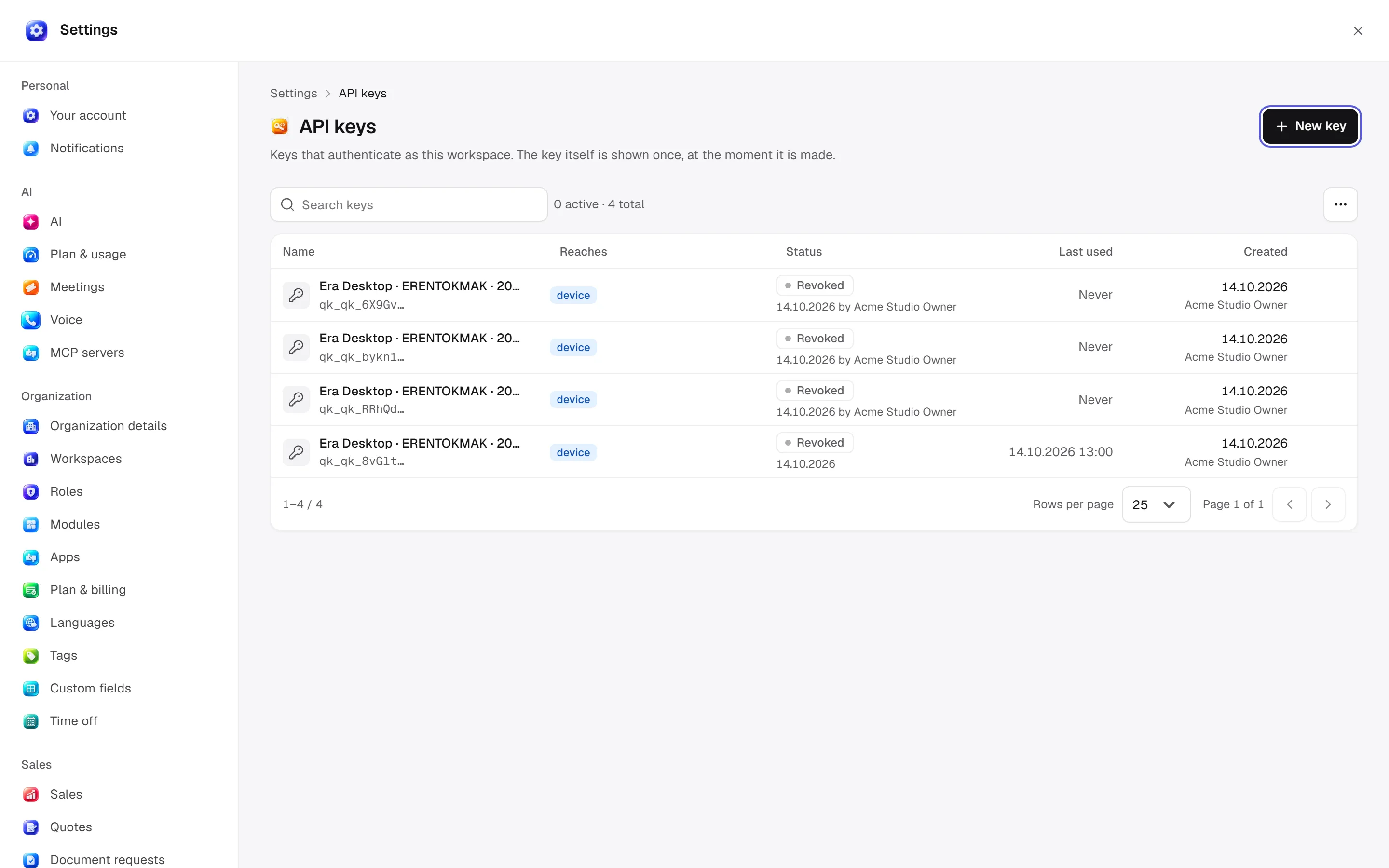
Go to Settings → Advanced → API keys (/settings/api-keys).
New key
Click New key and fill in the form:
| Field | What it does |
|---|---|
| Name | What the key is for, e.g. "Accounting sync". It is the only way to recognise the key later. |
| Reaches | Which modules the key is made for. Left empty, the list shows "Every module". |
| Expires | Optional. The key stops working at the end of that day. |
Copy the key
When you click Create key, the key is shown once. Copy it somewhere safe, then click I have stored it. The key is made in your browser and Era stores only its fingerprint (a SHA-256 digest), so a lost key cannot be recovered — create a new one.
Keys start with era_. The list shows only their first eight characters, when they were last used, and their status (Active, Expiring, Expired, Revoked).
Sending the key
Send the key with every request in the x-api-key header:
curl https://app.getera.io/api/v1/workflows?workspaceId=WORKSPACE_ID \
  -H "x-api-key: ERA_API_KEY"
x-api-key, not Bearer
The Tables and Workflows endpoints read the key only from the x-api-key header. Authorization: Bearer is used only by the MCP server, the incoming webhook token and site customer sessions.
What a key reaches
- Workspace: a key reaches only the workspace it was created in.
- Person: a key works as the person who created it. Their role's module permissions and row rules apply unchanged; a record they cannot see on screen they cannot read through the API either. Changes show in the activity feed with "API" as the source.
- When the person leaves: if the key's owner leaves the workspace, requests are refused with
403. Removing a member also revokes the keys they created. - Least privilege: if an integration should see only what it needs, create the key from the account of a member with a narrow role.
Keys that Era creates automatically for its own sessions and for paired computers are refused by these endpoints; they exist only for their own job.
Revoking
In the list, open the key's actions menu and choose Revoke key. Anything using it stops at once. Revoked keys are not deleted: they stay on the list so past requests can still be traced to the key that made them.
Rate limits
The Tables and workflow-reading endpoints apply a per-minute limit per key owner. The limit depends on your subscription. Every response carries these headers:
| Header | Meaning |
|---|---|
X-RateLimit-Limit | Requests allowed per minute |
X-RateLimit-Remaining | Requests left |
X-RateLimit-Reset | When the allowance refills (ISO 8601) |
Over the limit you get 429, and the Retry-After header says how many seconds to wait:
{
  "error": "Rate limit exceeded",
  "message": "API rate limit exceeded. Please retry after 2026-10-14T09:31:00.000Z",
  "retryAfter": 1791970260000
}
Authentication errors
| Status | Body | When |
|---|---|---|
401 | {"error": "API key required"} | No header |
401 | {"error": "Invalid API key"} | Wrong, revoked or expired key |
403 | {"error": "The key’s owner is not a member of that workspace."} | The key's owner is no longer in the workspace (Tables) |
429 | {"error": "Rate limit exceeded", ...} | Per-minute limit reached |
See also
- Overview — every endpoint.
- Permissions — what roles allow.