Roles and the permission matrix
Edit module access for people doing the same job in one matrix.
A role defines the places people doing the same job can access in a workspace. Use personal grants for exceptions instead of expanding a role for everyone.
Before you start
Role changes affect everyone holding that role. Use personal grants for one-person exceptions.
Members and invitations
Steps and focused answers.
Approvals and Full access
Steps and focused answers.
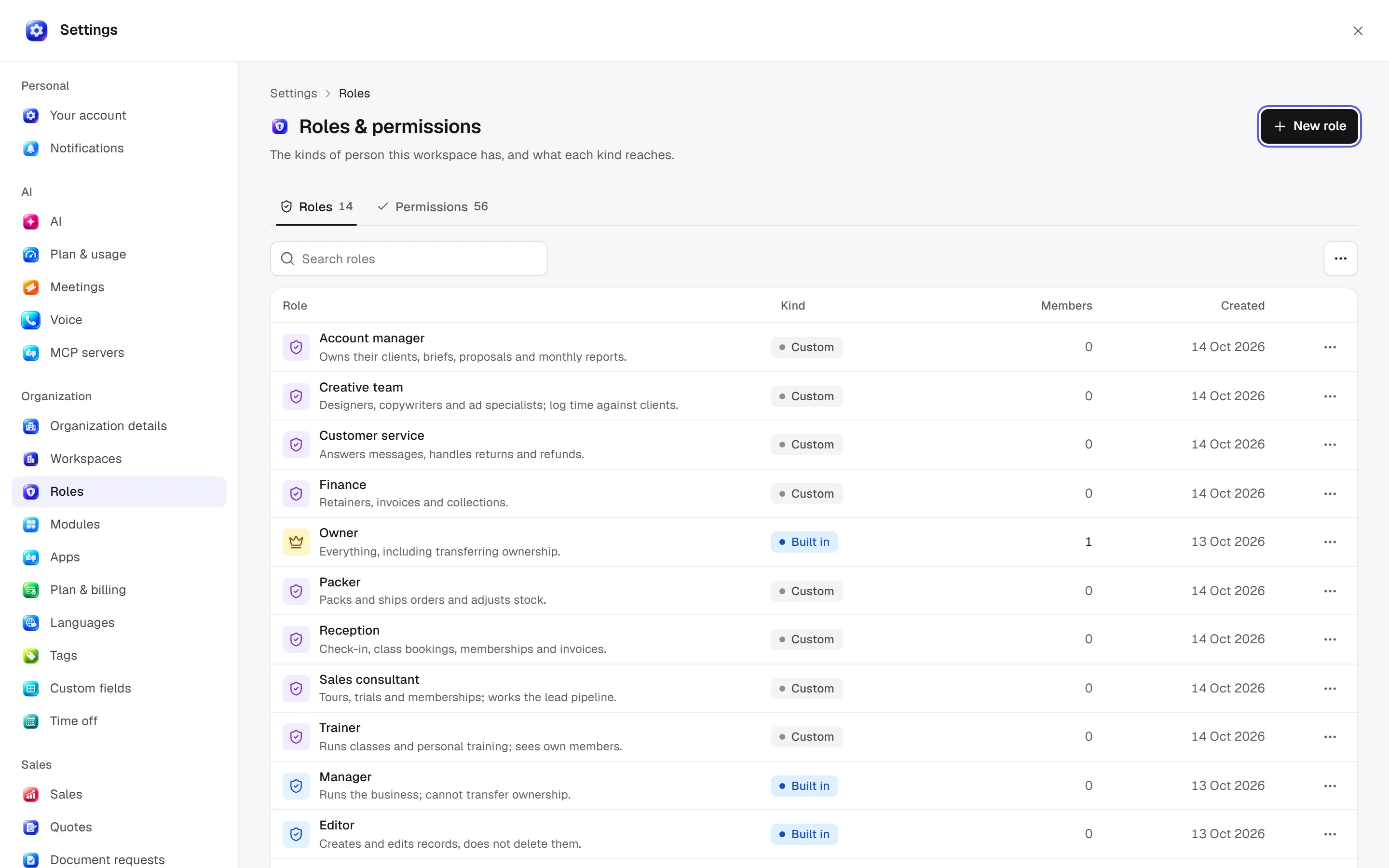
Web: Settings → Organization → Roles & permissions. Desktop: Settings → Organization → Roles & permissions. Roles / Permissions tabs share the same data. A custom role starts with a name, description and no access.
Capabilities in plain words
| Code | Meaning |
|---|---|
read | See module records and screens. |
write | Create/edit permitted records. |
delete | Run archive/delete actions; preconditions still apply. |
manage | Manage module settings and administration. |
approve | Decide relevant module approvals. |
handle | Process, execute or carry out operational steps. |
export | Export module data. |
own_records_only | Restrict access to your own records; this is not an additional operation permission. |
Not every module declares every code. The matrix displays supported capabilities. Without read access a module is absent from that person's sidebar. If the module is off, its pages are unavailable to everyone.
Edit the matrix
Select a role, search modules and toggle the required permissions. Changes apply immediately to everyone holding the role. Assign role changes access without moving or deleting records. Unused custom roles can be deleted; built-in and custom roles are marked separately.
A person's access panel shows Role / Modules / Personal grants / Sign-in. Suspending sign-in differs from revoking access to one module. Reports also support personal report grants.
Who manages access?
security_access.manage means role and access management. A visible button does not guarantee every action will succeed; the server checks permissions and preconditions. Era and event agents also use the person's current role.
Ask Era “Explain the current permissions needed for sales staff to see only their own leads.” Review proposals first; a bulk role change affects all role holders. See security and isolation.
Practical start
Choose the role
Check the custom role’s name and job and account for everyone using it.
Narrow permissions
Select read, write and management only where the job requires them. Own-record scope applies separately.
Inspect the impact
Assess the change for all holders before applying it. Use personal grants for individual exceptions.
Sales channel access
In Settings → Roles → Permissions, choose a role and turn on Sales channel access restrictions. Select the channels that members of the role may use. Turning the restriction off allows every channel; keeping it on with no selection allows none. The owner role always has access to every channel.
The same controls are available on the native desktop screen. Order, checkout, shipment, return and refund rows inherit their channel access. Order-related agreements, invoices and payment allocations also follow the order restriction. A personal Shop grant may narrow this scope further, but cannot expand the role's channel scope. Catalog, warehouse and shipping configuration remain shared workspace data.