App accounts and connection settings
Distinguish an app’s accounts and your chat default.
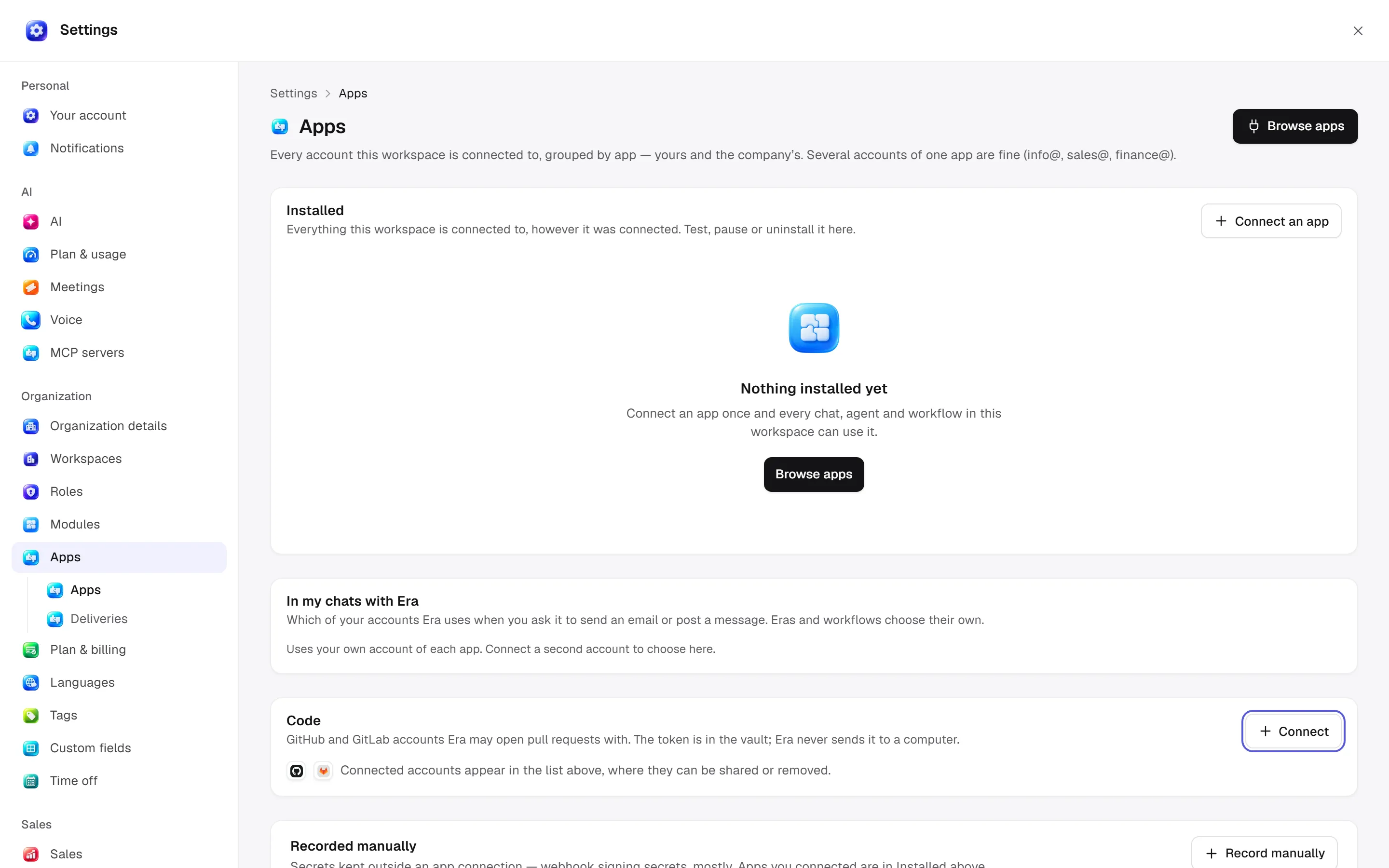
Web: Settings → Organization → Apps. Desktop opens the same business settings; connect via the catalogue at /apps. An app can have several accounts such as info, sales and finance.
Before you start
Agents and workflows select their own accounts. Changing the chat default does not change all work.
Installed accounts
Find accounts grouped by app; test, pause/resume, share or uninstall where permitted. In my chats with Era chooses the account used when you ask to email/message. Agents and workflows choose their own accounts; the personal default is not applied to all work. Code-connection cards separately handle Git provider sign-ins.
Manually recorded connections
This area is mainly for secrets not held by app connections, such as webhook signing secrets. Record manually:
| Field | Input |
|---|---|
| Provider | Lowercase ID such as stripe or google_calendar. |
| Name | Recognizable connection label. |
| Kind | OAuth token, API key, username/password, MCP endpoint or signing secret. |
| Secret | Value sealed in the vault; replaceable but not shown back. |
| Or: where it is kept | External secret name/reference, never its value. |
| Account at provider | Identity distinguishing accounts of the same provider. |
| Status | Active, expired, revoked or error. |
Rows show name, account, secret location, webhook-use count and status. Edit names/accounts/status or replace secrets in Edit. Disconnect revokes/hides the row but keeps history; dependent webhook sends can fail. Read affected webhook counts in confirmation.
Sign-in versus recording
OAuth opens the provider's authorization page; I have signed in checks an actual linked account afterward. Typing a name or setting “active” does not create a working external session. Check supported providers in the catalogue.
Permissions and automation
apps.manage controls management; apps.delete controls applicable removals. Sharing, roles and target-module permissions apply together. Without choosing the right connection, do not assume an agent/workflow sends from your personal account. Ask Era “Show this app's connected accounts and where they are used.” See apps and MCP/webhooks.