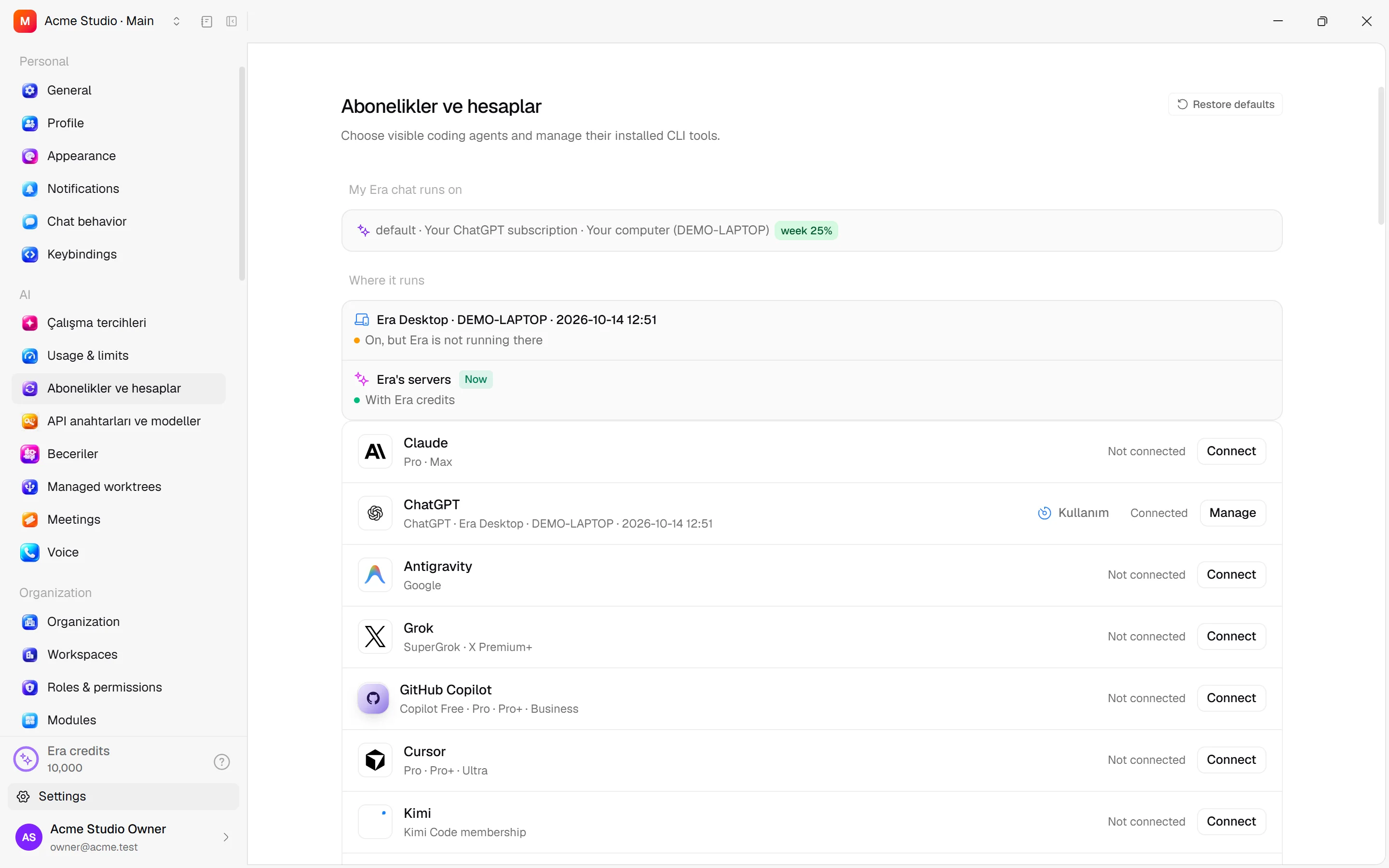
Local AI engines and subscriptions
Manage engine installation, provider sign-in and Era access.
A local engine is Claude Code, Codex or another supported client running on your computer. Your Era account provides business access; the provider account signed into the engine supplies AI use.
Before you start
A provider card does not prove a ready engine. Inspect connection and version status.
Subscriptions, API keys and Auto
Steps and focused answers.
CLI with coding agents
Steps and focused answers.
Where
Desktop Settings → AI → My subscriptions manages accounts; Installed CLIs in provider-tool setup shows engine versions. Web My subscriptions shows linked engines and computers.
| Card/engine | Account |
|---|---|
| Claude / Claude Code | Your Claude sign-in and eligible plan. |
| ChatGPT / Codex | Your OpenAI sign-in and eligible subscription. |
| Google / Antigravity | Your Google sign-in in the Antigravity CLI; runs Google's Gemini models. |
| Grok, Cursor, OpenCode, Droid, Devin, Pi and others | Supported engine installation/sign-in; not every card is ready on every runtime. |
Install, sign in, inspect
Enable a provider and inspect installed/version state. Use offered installation/update actions. Sign in completes provider browser authorization. With multiple accounts, check labels and default selection. Provider details can expose Identity / Runtime / Environment; change binaries/environment only when needed.
Disabling a provider hides it from pickers but preserves settings/chats; do not assume a running turn stops immediately. Hiding it in the picker does not disable all server activity. Automatic CLI update checks checks versions; it does not install or sign in by itself.
Era access
Era adds the era command and procedure skills to engine work folders. MCP and terminal business tools use the same authorized door. Each engine reads its own instruction file in that folder: Claude Code CLAUDE.md, Codex and Cursor AGENTS.md (Cursor also an always-on .cursor/rules/era-cli.mdc), Antigravity GEMINI.md; Grok and the other engines get the same instructions with the chat. Available tools depend on engine and role.
Files and automation
A local file is not automatically a cloud file. Ask “Save the result to Era Files” or use era file save. Subscription-based workflows/agents need a ready engine; offline computers and exhausted quota follow saved wait/fallback preferences. See sources.
Try “Inspect this local file, compare it with business records and save the result.” Business records use role permissions; local files use engine permissions.
Practical start
Prepare the engine
Inspect installed CLI/version state and complete the offered installation step.
Choose the account
Complete provider browser sign-in; check the default label with multiple accounts.
Check the source
Inspect the selected source in a new Era chat. Separately enable work-type switches for Workflows or Brain.