Welcome to Era
The AI that knows your business: what is on the web and desktop, and where to set what.
 Business modulesSales, bookings, shop, finance and more
 API and MCPReach Era from outside
 CLIThe era command in your terminal
 IntegrationsEvery app you can connect
 Help CenterShort questions, short answers
Era is an AI assistant that knows your business, and the place where you run it. Your customers, sales, bookings, shop, inbox and website live in one workspace; Era looks at them with your permissions, does the work on your own AI subscription, and asks you before anything that matters — money, messages to other people, deleting.
These docs are short and practical: each page answers one question and writes menu names the way you see them on screen.
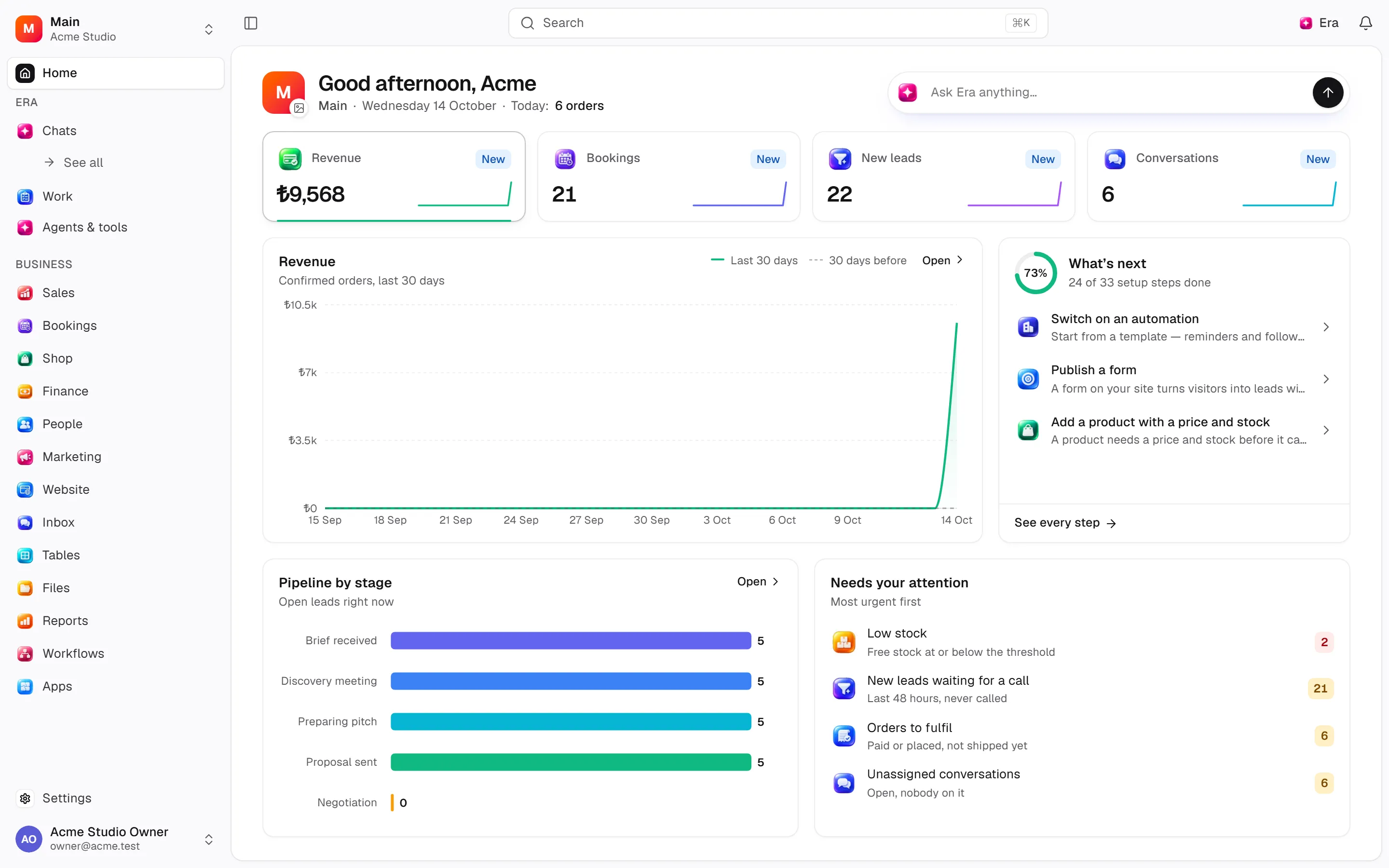
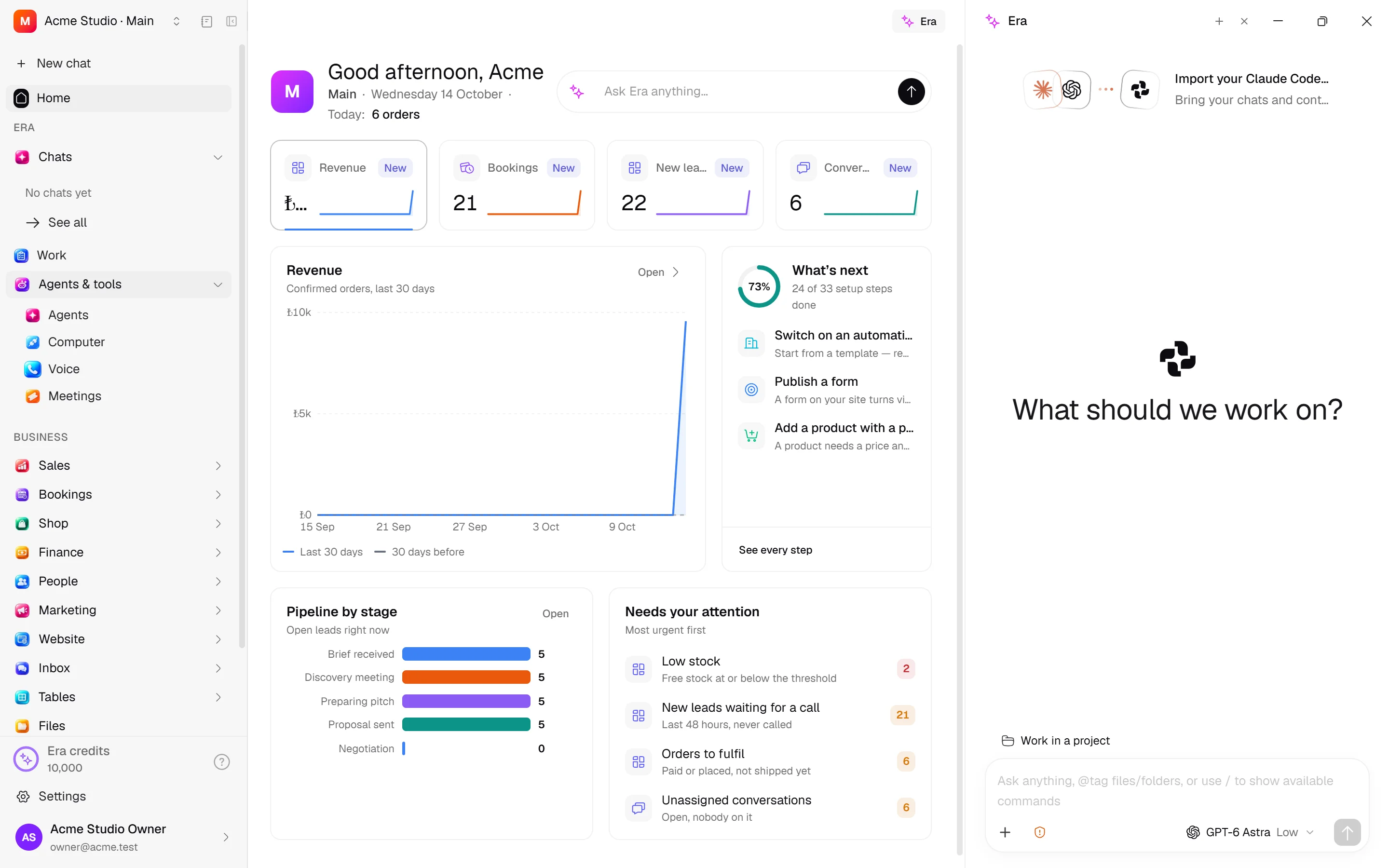
Where you use Era
Era runs in two places. Both see the same account, the same chats and the same business data.
| Web | Era Desktop | |
|---|---|---|
| Address | app.getera.io — nothing to install, on any computer | A Windows app, from getera.io/en/download |
| Setup | None, it opens in the browser | Download, install, Sign in with Era once |
| Chats | Chats in the sidebar | Chats in the left rail, plus Alt+Space from anywhere |
| Business pages | Business pages open as tabs beside chat | Business pages open as tabs beside chat |
| Era beside a page | The Era panel on the right (Ctrl+.) | The Era button in the page's top bar (Ctrl+.) |
| AI source | Your own supported subscription or API key | Your connected Claude Code, Codex, Antigravity or Grok account, or API key |
| Computer use | Through a connected computer | Right on this computer (beta) |
The first ten minutes
Open your account
Sign up with your name, email and a password; Era asks what it should help you with. See Open an account.
Set up your business
Type your business's name and pick its kind; Era prepares your services, prices, website and assistants for it. See Set up your workspace.
Connect your subscription
If you pay for Claude, ChatGPT or Antigravity, Era uses that first — at no extra cost. See Connect your subscription.
Start your first chat
Type or say what you want; watch Era work and step in when you like. See Your first chat.
Getting started
Open an account
Sign up, verify your email, choose what you came to Era for.
Set up your workspace
Your business's name, its kind and the first setup steps.
Sign in to Era Desktop
Install the app and connect this computer to your account.
Connect your subscription
Claude, ChatGPT or Antigravity — or an API key.
Your first chat
Give Era a job, watch it, approve and get the result.
The rest of the docs
Concepts
Era, chats, the Era pane, memory, AI sources, agents, skills, workflows.
Modules
Sales, bookings, shop, finance, people, marketing, website, inbox, tables, reports.
Desktop
What Era Desktop adds: computer use, local AI tools, the era command.
Admin
Members, roles, modules, plan and provider usage.
Reference
Settings paths, the Era command line, tools, API and webhooks.
FAQ
Short answers.