Members and invitations
Invite members, check roles and hand over departing people’s work.
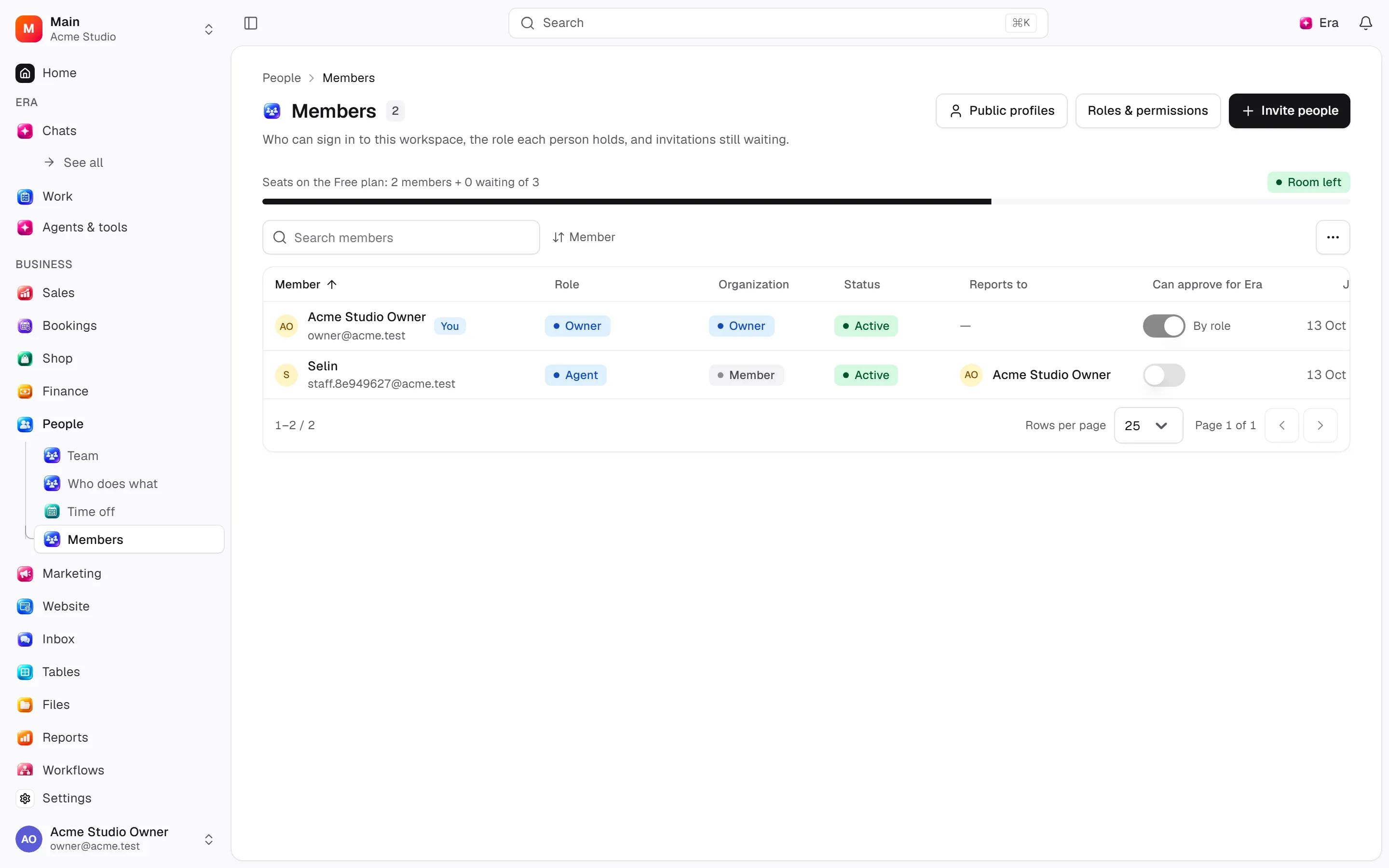
Membership determines access to an organization and its workspaces. Use it for onboarding, removing access and handing over work.
Before you start
Organization and workspace roles have separate scopes. Check both in invitations.
Where
Web and desktop: People → Members, /team/members. Old /settings/members redirects there. Role definitions and the matrix stay under Settings → Organization → Roles & permissions.
Invite and manage
Prepare the invitation
Choose Invite people. Enter one address or multiple addresses separated by commas, spaces or newlines.
Choose roles
Select an Organization role and Workspace role; their scopes differ.
Send
Send the invitation. Pending invitations show expiration or Expired.
Manage invitation status
Resend when needed; a new link replaces the old one. Withdraw invitation invalidates it.
Member actions include role changes, access details, suspension and removal when permitted. Suspension blocks sign-in without deleting records. Organization removal ends access to every workspace while preserving records and history. Use Hand their work to to transfer remaining work to an eligible member.
Profiles and personal grants
Names and pictures come from the account and are shared across workspaces. Team profiles include description, social links, speciality labels and public-team visibility. Social URLs must start with http:// or https://. A speciality label does not authorize delivering a service; bookings use availability configuration. Hiding a person does not cancel their existing appointments.
Access details combine role access with personal grants. Give this person access adds to the role; revoking it leaves role access intact. Can approve for Era indicates the relevant approval permission.
Permissions and automation
Member/role management requires security_access.manage, meaning manage people's access; organization actions also inspect organization roles. Seat counts can relate to the plan: inspect the displayed limit. Ask Era “Summarize these members' access and show changes before applying them.” Sharing an AI subscription/key does not grant all business-module permissions. See sources.