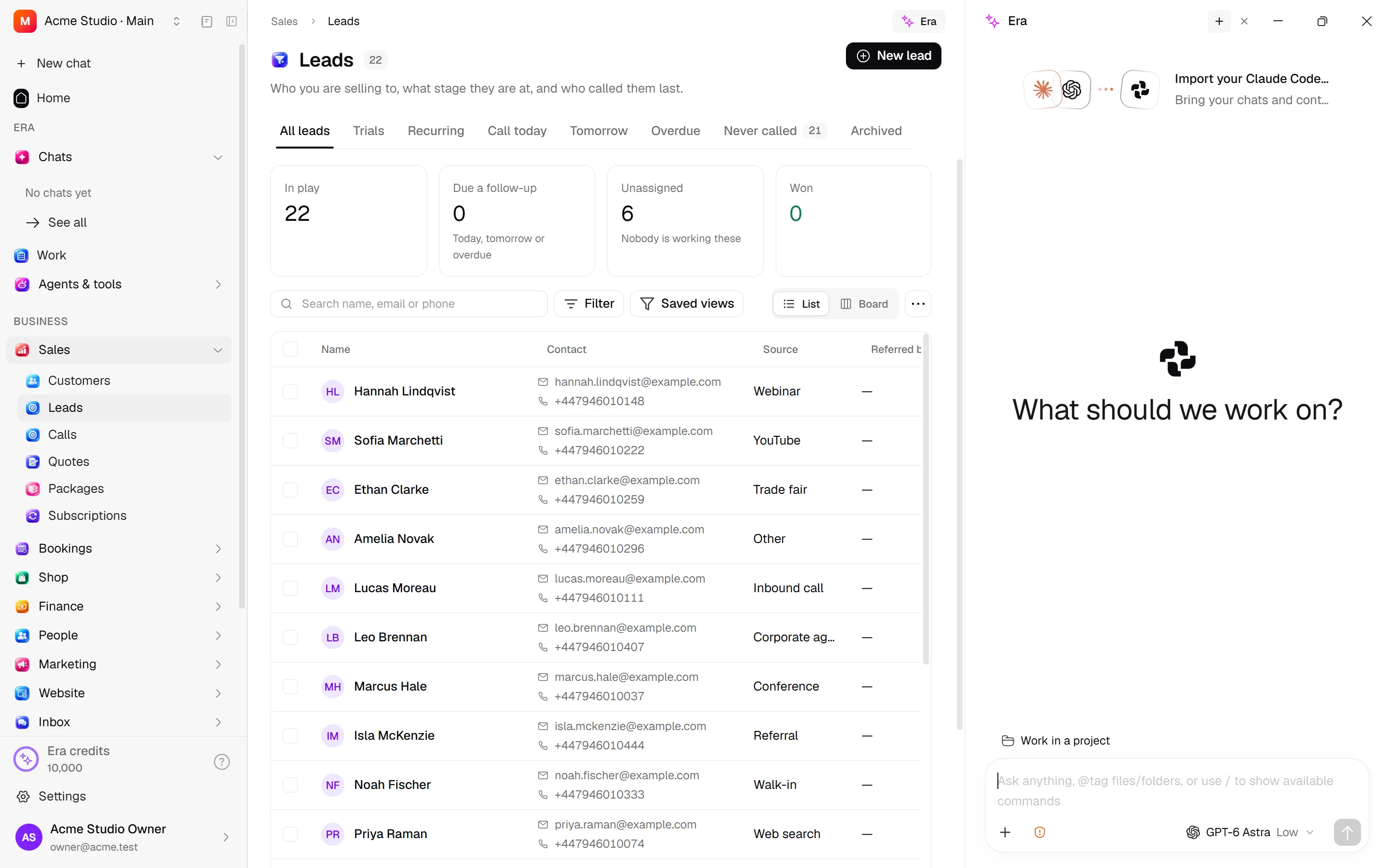
The Era pane beside your page
Work with Era while keeping a record or list open.
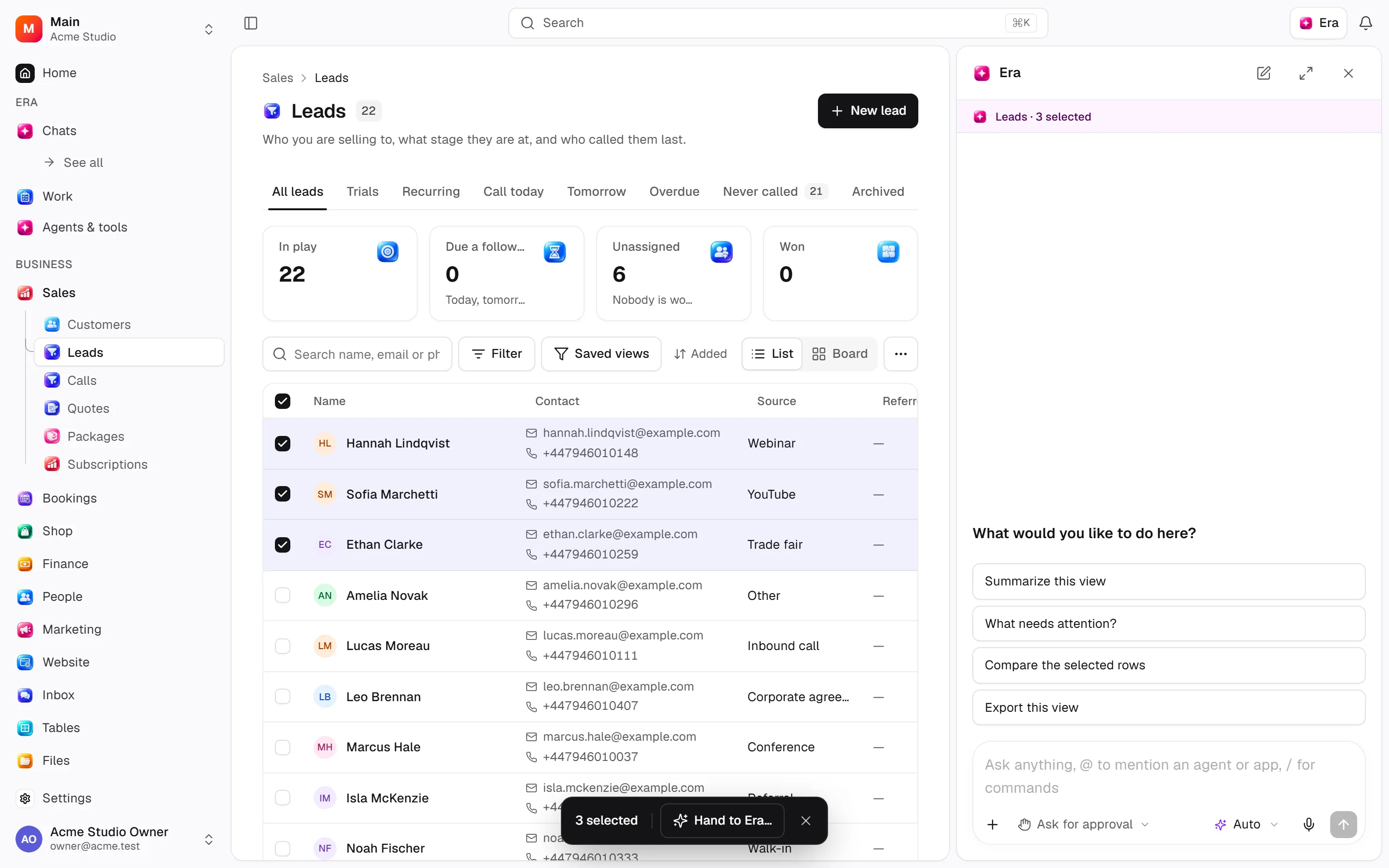
The Era pane lets you ask for help without leaving a business screen. On web and desktop choose Era above the page or press Ctrl + . (⌘ + . on Mac keyboards). For example, chat opens beside Leads.
Before you start
Selected rows provide context, not additional access. Check selection on supported lists.
Chats and every composer control
Steps and focused answers.
Approvals and Full access
Steps and focused answers.
Bring page and record context
Open the page
Open a list or record.
Select rows
Tick rows in a supported table.
Ask Era
Choose Ask Era / Ask Era about these.
Send the request
The pane opens and fills the composer. Edit the request if needed, then send.
Selected records provide context. Try “Which of these needs follow-up today?” Hand-built lists without selection-context support may not attach the same context automatically.
You do not have to press anything: on the web and on desktop the screen beside the chat reaches Era by itself — the open page and record, the ticked rows and the list’s search, filters and sort. Say “cancel these” or “message everyone in this filter” and Era re-reads those records with its own tools, under your permissions, and acts. With a workflow designer open beside it, the chat can edit that workflow live.
Use the pane
Closing it leaves the business page open. On desktop drag its edge to resize; double-click restores the default width. On narrow screens it can occupy the full screen. Files, models and permission controls match chat.
Permissions and results
Selection does not expand access. Era uses the same role and row restrictions. “Delete these records” may request approval; asking a question is not itself a deletion instruction. If the list does not refresh after a write, refresh it to check results. Closing the pane does not reverse operations.
Try “Compare this customer's recent quotes.” “Summarize selected orders by product.” “Show proposed changes first and wait for approval.” See permissions.