Tax configuration settings
Paths, defaults and effects of each option.
Settings open as a drawer over your work; a direct URL can open a full page. On desktop choose the same product heading under Settings. Change values and Save; form validation and role permissions apply.
Usage guide
Finance managers set tax charging, inclusive pricing and country/class rates.
Browse this area
Finance — modules and detailed settings
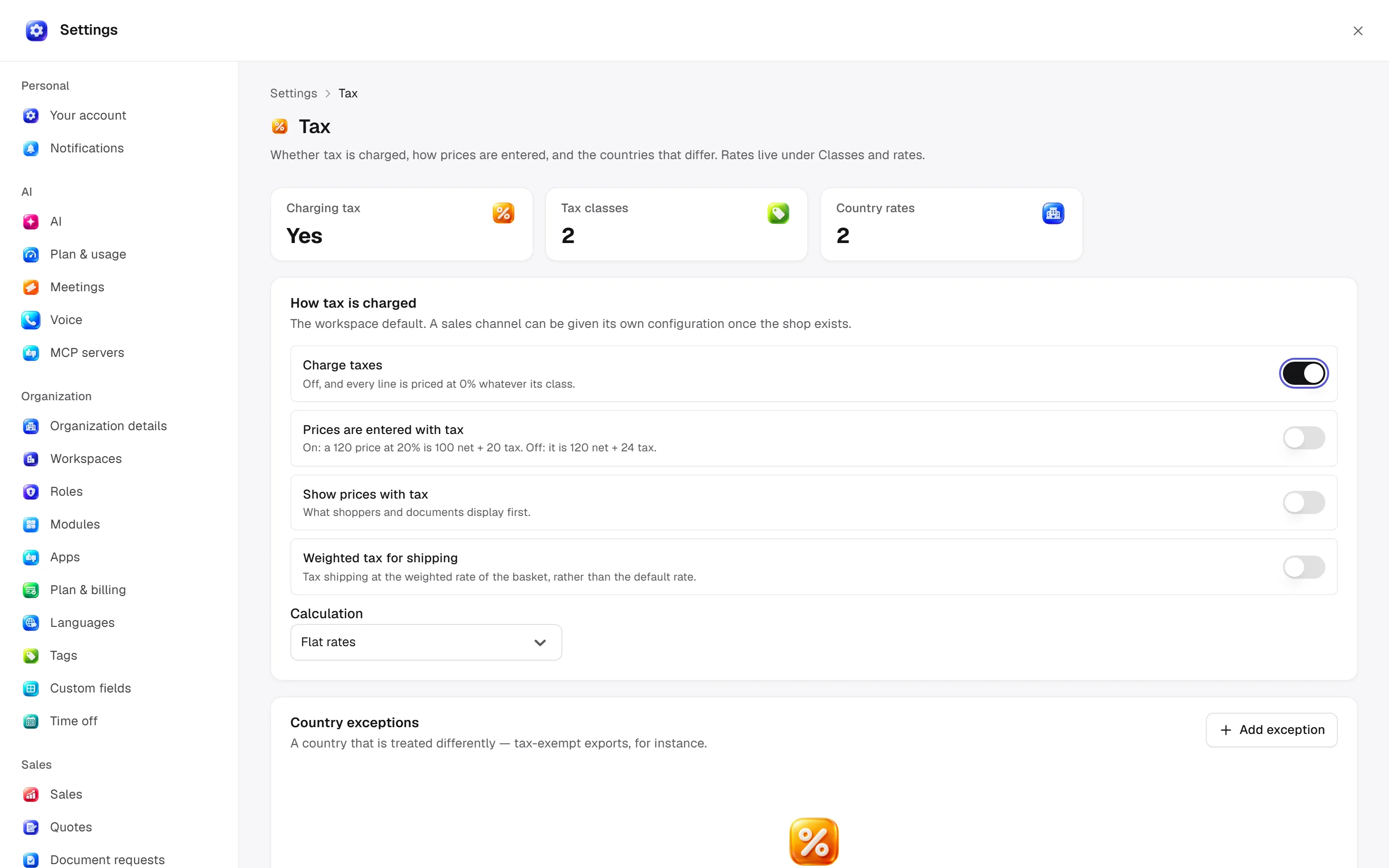
General
Open settings · /settings/tax
Set charge tax, inclusive input/display, weighted shipping tax and flat-rate/tax-app calculation. Country exceptions override charging/display; removing one restores defaults.
Desktop: native settings panel.
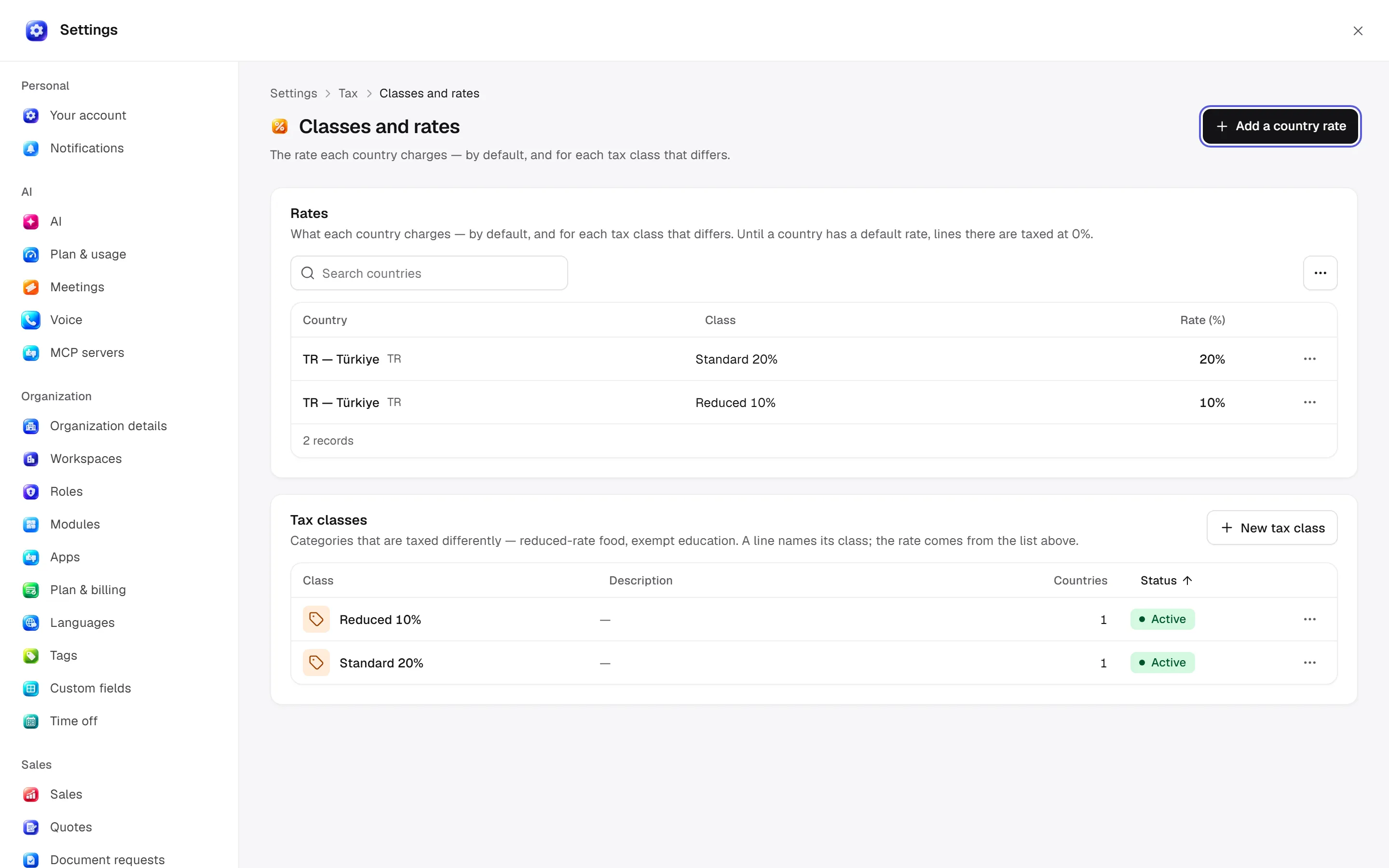
Classes and rates
Open settings · /settings/tax/classes
Classes: name/description/active state. Rates: country/class or country default/percent. Removing a class rate falls back to country default; removing the default falls back to zero.
Desktop: native settings panel.
Permission: module manage is used for configuration; the main guide’s action table lists individual operation permissions.
Related guide
Technical sources
packages/os-kernel/src/modules/tax.ts, apps/studio/app/(app)/settings/, apps/era-station/apps/web/src/era/business/screens/settings/pages/registry.tsx.