Hours and time off
Managers set workspace/staff hours, exceptions and providers. Approved staff leave affects bookable availability.
Managers set workspace/staff hours, exceptions and providers. Approved staff leave affects bookable availability.
Where to find it
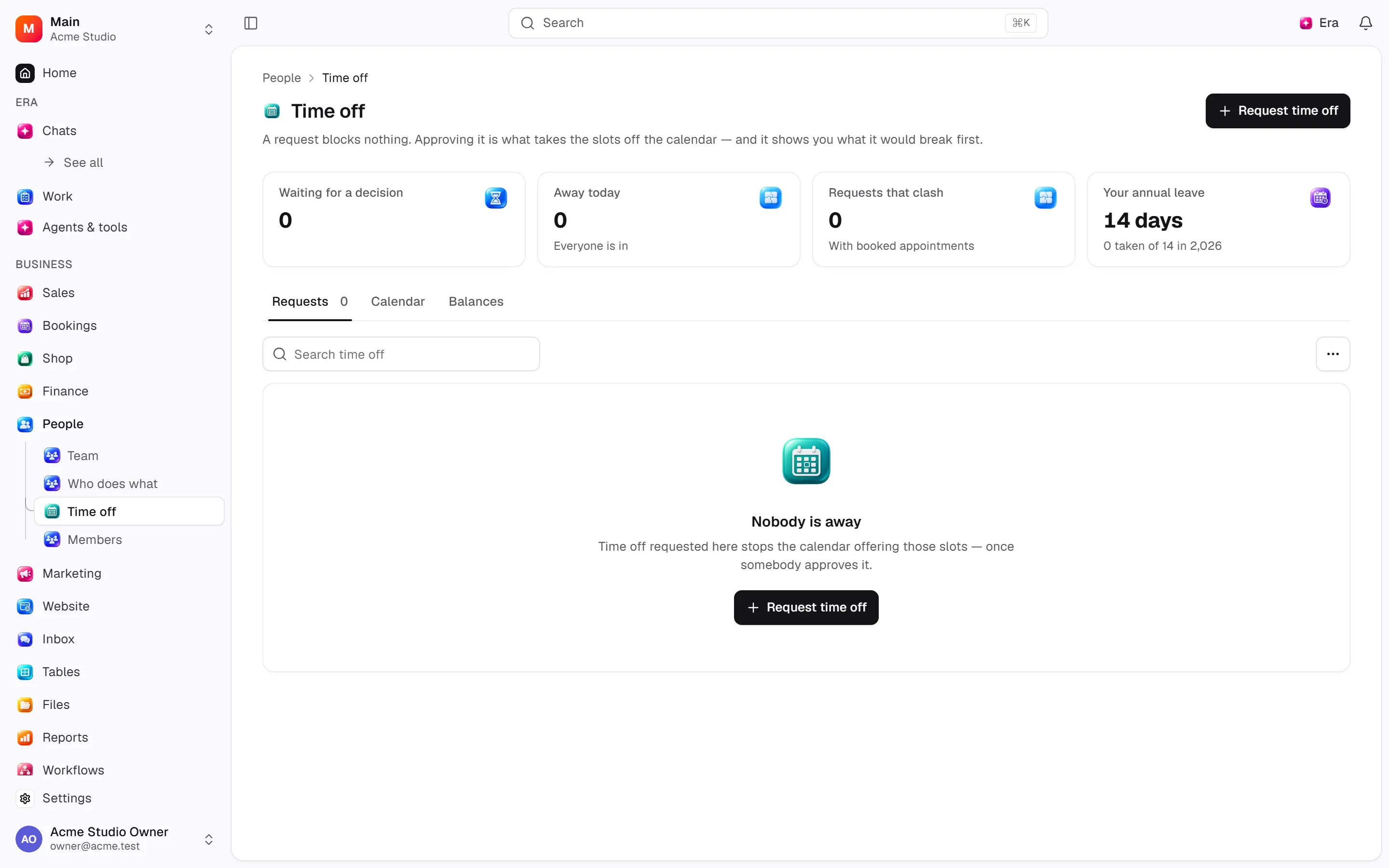
Web: open People. Desktop: Business → People, using the same record paths. Disabled modules or missing read permission remove the navigation entry.
| Screen / tab | Web path | Usage | Desktop |
|---|---|---|---|
| Time off | /time-off | List, view or tab | Native screen |
| Who does what | /team/services | List, view or tab | Native screen |
Opening-hour settings are under Bookings; Time off and Who does what are under People.
Start working
Step 1
Set weekly hours/breaks in Settings → Bookings → Availability.
Step 2
Add special days and edit/reset staff hours.
Step 3
Assign providers in People → Who does what.
Step 4
Request/approve/reject/withdraw leave.
Step 5
Manage leave types in Settings → Organization → Time off.
Settings
Option-by-option configuration and screen paths: Settings guide.
- Leave types ·
/settings/time-off - Opening hours ·
/settings/availability - Leave ·
/settings/availability/leave - Staff ·
/settings/availability/staff
Permissions and limits
Before you start
Hours changes do not cancel bookings; the form warns about affected appointments. Balances depend on leave-type rules.
Role capabilities: Read (read), Write (write), Delete/archive (delete), Manage (manage), Approve (approve).
Own-record restrictions apply equally to lists, records and Era. Record state or missing data can refuse an otherwise permitted action.
Ask Era
Why can’t this service be booked tomorrow at 10:00?
Select relevant records for Era context. Era respects modules/roles; external or confirmation-sensitive work can stop for approval. Use era tools in the terminal to inspect currently available tools.
Automation and events
These declared events are available to module-event triggers. Subscribing does not configure the next operation; choose recipients, conditions and actions separately.
Operation details
The inventory includes record, configuration, visitor and background flows. IDs support Era/automation; not every row is a menu button. Asterisks mark required inputs. Unmapped rows do not imply a visible control.
| Operation and ID | Inputs | Permission | Screen or flow |
|---|---|---|---|
Set which days something runs · availability.set_item_days | Item *, Weekdays | Manage | /team/services |
Set who can do it · availability.set_item_providers | Item *, Team members, Assign anyway | Manage | /team/services |
Set opening hours · availability.set_hours | Team member, Weekday * (0–6), Open that day, Opens, Closes, Opening blocks, Change anyway | Manage | /settings/availability |
Use the workspace hours · availability.clear_person_hours | Team member * | Manage | /settings/availability |
Set a special day · availability.set_override | Date *, Why *, Team member, Open that day, Opens, Closes, Set anyway | Manage | /settings/availability |
Remove a special day · availability.clear_override | Special day * | Manage | /settings/availability |
Request time off · availability.request_leave | Team member, Title *, Kind, From *, To *, All day, From (time), To (time), Note | Write | /time-off |
Approve time off · availability.approve_leave | Request *, Approve anyway, Note | Write | /time-off |
Decline time off · availability.reject_leave | Request *, Reason | Write | /time-off |
Withdraw time off · availability.cancel_leave | Request * | Write | /time-off |
Save a kind of time off · availability.save_leave_type | Code *, Name *, Colour, Paid, Accrues, Days per period, Carry over at most, Balance ceiling, May go below zero, In use | Manage | /settings/time-off |
Adjust a balance · availability.adjust_allowance | Team member *, Kind *, Year * (2000–2100), Adjustment (days) * (-366–366), Why | Manage | /time-off |
Close a leave year · availability.carry_over | Year * (2000–2100) | Manage | /time-off |
Related guides
Settings
Options, screen paths and defaults.
Workflows
Operations managers connect triggered blocks on a canvas with conditions, loops and approval waits.
People
People — modules and detailed settings
Technical sources
packages/os-kernel/src/modules/availability.ts, packages/os-kernel/src/modules/index.ts, apps/studio/lib/os/navigation.ts, apps/studio/lib/os/settings-groups.ts, apps/era-station/apps/web/src/era/business/screens.ts.