Canvas blocks and triggers
Build a data flow from a trigger to the target action.
Choose manual/module-event/schedule/webhook/app-event/chat/API triggers.
Where
Web: Workflows · /workflows. Desktop: Business → Workflows.
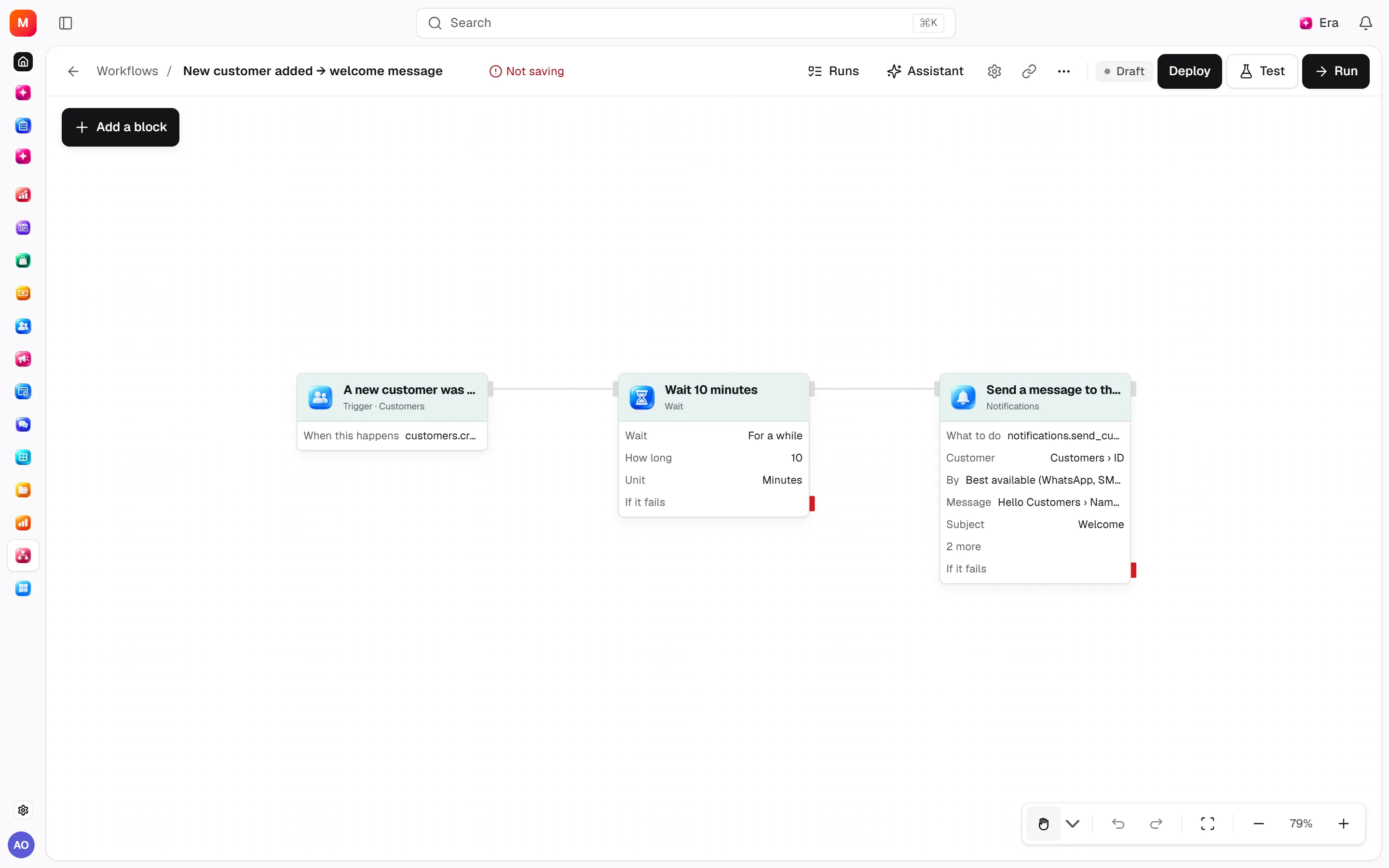
Step by step
Choose a trigger
Choose manual, module event, schedule, webhook, app event, chat or API triggering.
Connect blocks
Connect conditions, filters, waits, loops, parallel branches, agents or app steps for the task.
Review inputs
Try a fixed value first, then map event data. Choose parallel, skip or queue behavior for new triggers during a running job.
What to know
Connections define data flow. Blocks include conditions/filters, delays/wait-until, loops, parallel branches, agents and connected apps.
Test fixed values before event mappings. Configure overlap to allow, skip or queue new triggers.
Disabled/unauthorised module actions are refused.
Actions and permissions
| Operation and ID | Inputs | Permission | Screen or flow |
|---|---|---|---|
Draft a workflow · workflows.draft | Name *, When this happens, Trigger, Trigger settings, Description, Only when, Steps | Manage | Record/API/visitor flow; no separate screen button mapped |
Start a workflow on a module event · workflows.subscribe_canvas | Canvas workflow *, When this happens *, Listening, Stop a waiting run when | Manage | /workflows |
Stop a workflow listening to events · workflows.unsubscribe_canvas | Canvas workflow * | Manage | Record/API/visitor flow; no separate screen button mapped |
Settings and related guides
Ask Era
Draft a workflow notifying an owner on a new application.