Brand batches and social content
Move from brand context to creative drafts and scheduled social posts.
Save brand colours/context.
Where
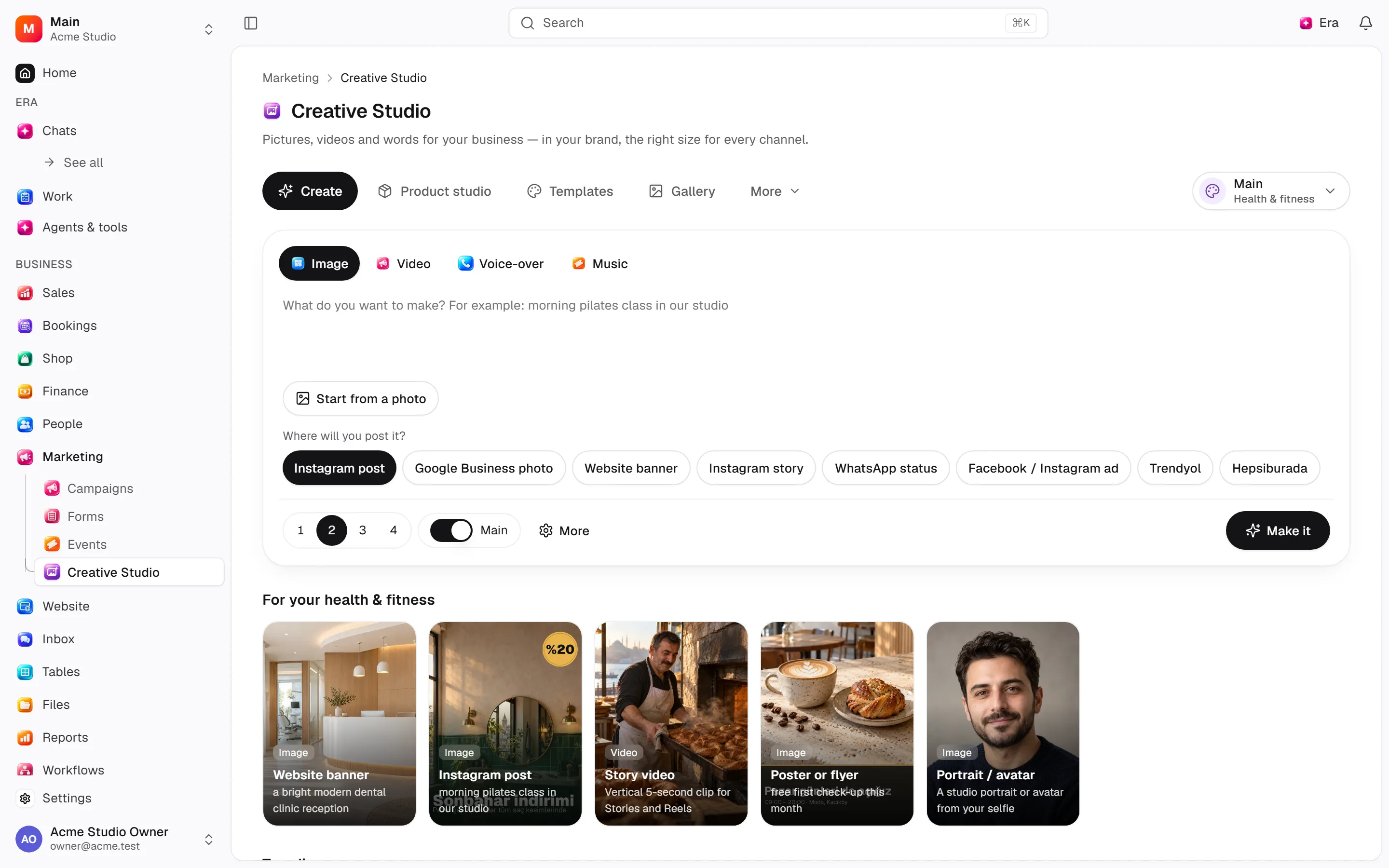
Web: Marketing · /creative. Desktop: Business → Marketing.
Step by step
Prepare the brand
Save colors and business context in the brand kit.
Create content
Start a photo studio set or batch and choose the reference product. Use variant, text or reel operations on the result.
Schedule publishing
Save the post text and select the channel and date; cancel scheduled publishing when needed.
What to know
Use product photo sets or batches with references. Create variations, text overlays or photo reels and save captions.
Schedule/cancel social posts by channel/date, manage the ad library and favourites/history. Voice cloning is a separate setup/permission flow.
Generation completion is not successful social publication.
Actions and permissions
| Operation and ID | Inputs | Permission | Screen or flow |
|---|---|---|---|
Favourite · creative.set_favourite | Generation *, Favourite * | Write | /creative |
Remove from history · creative.remove | Generation * | Delete/archive | /creative |
Save the brand kit · creative.save_brand_kit | Brand name *, Tagline, Tone of voice, Who it is for, Colours, Fonts, Logo, Reference images, Words we use, Words and looks to avoid, Use in every generation, Sector, Taken from the workspace | Write | /creative |
Clone a voice · creative.clone_voice | Voice name *, Recordings *, I have the speaker’s consent * | Write | Record/API/visitor flow; no separate screen button mapped |
Remove a voice · creative.remove_voice | Voice * | Delete/archive | Record/API/visitor flow; no separate screen button mapped |
Post to social media · creative.schedule_post | Result, Files, Where *, Account *, Caption, Title (YouTube), When | Write | /creative |
Cancel a scheduled post · creative.cancel_post | Post * | Write | /creative |
Save an ad to the library · creative.save_ad | From *, Name *, Library id, Advertiser, Ad text, Link, Ad preview link, Screenshots, Media links, Platforms, Running since, Tags, Why we like it | Write | /creative |
Remove from the ad library · creative.remove_ad | Ad * | Delete/archive | /creative |
Product photo studio: make a set · creative.generate_set | Set *, Product photo, Product photo on the web, Product, Product name, Anything else, Channel, Sector, Model | Write | Record/API/visitor flow; no separate screen button mapped |
Make a batch · creative.generate_batch | Template, For all of them, Lines *, Channel, Model, Shape, Use the brand kit, Name | Write | Record/API/visitor flow; no separate screen button mapped |
More like this · creative.vary | Picture *, How many (1–4), What to change | Write | Record/API/visitor flow; no separate screen button mapped |
Set text on a picture, or make a photo reel · creative.compose | What *, Pictures *, Layout, Channel, Reel, Product, Made from | Write | Record/API/visitor flow; no separate screen button mapped |
Save the post text · creative.save_caption | Result *, Text *, Hashtags, Channel | Write | Record/API/visitor flow; no separate screen button mapped |
Settings and related guides
Ask Era
Draft three social visuals using brand colours.