Activity and audit history settings
Paths, defaults and effects of each option.
Settings open as a drawer over your work; a direct URL can open a full page. On desktop choose the same product heading under Settings. Change values and Save; form validation and role permissions apply.
Usage guide
Managers inspect changes by actor; records have history and Activity shows workspace changes.
Browse this area
Reports — modules and detailed settings
Retention & integrity
Open settings · /settings/activity
Retention: 0 keeps everything, otherwise at least 30 days. Integrity locking enables daily sealing; inspect verification separately.
Desktop: native settings panel.
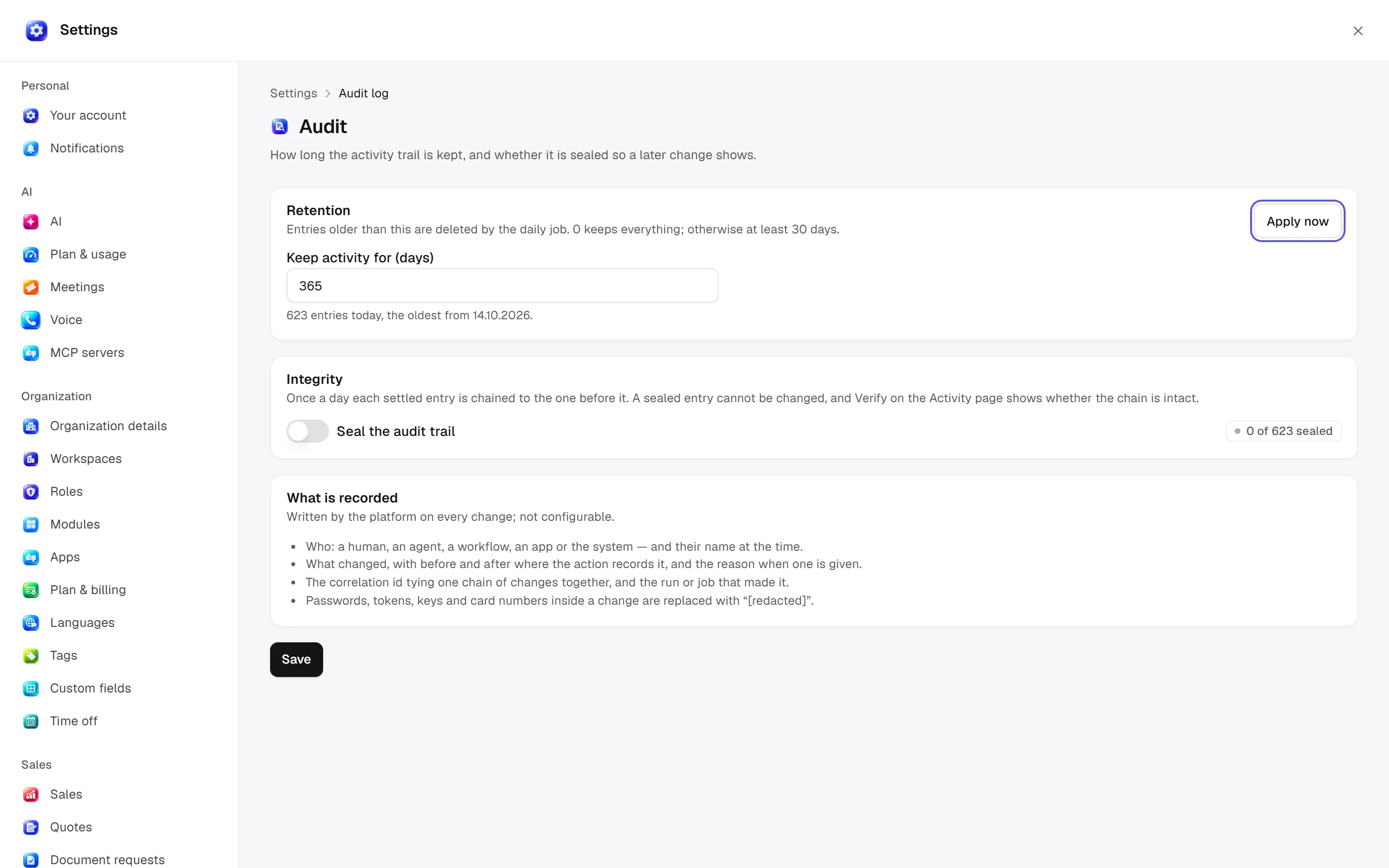
Defaults and behaviour options
This table lists contract defaults, not your saved workspace values. Location distinguishes visible controls from advanced configuration values.
| Option / key | Default | Effect and choices | Location |
|---|---|---|---|
Keep activity for (days) · retention_days | 365 | Older activity is deleted automatically each day. 0 keeps everything; otherwise at least 30. | /settings/activity |
Lock the activity record · hash_chain | false | Once a day, locks the activity so it can’t be changed later. Verify shows the record is intact. | /settings/activity |
Permission: module manage is used for configuration; the main guide’s action table lists individual operation permissions.
Related guide
Technical sources
packages/os-kernel/src/modules.ts, apps/studio/app/(app)/settings/, apps/era-station/apps/web/src/era/business/screens/settings/pages/registry.tsx.