Marketplaces carriers and e-invoicing
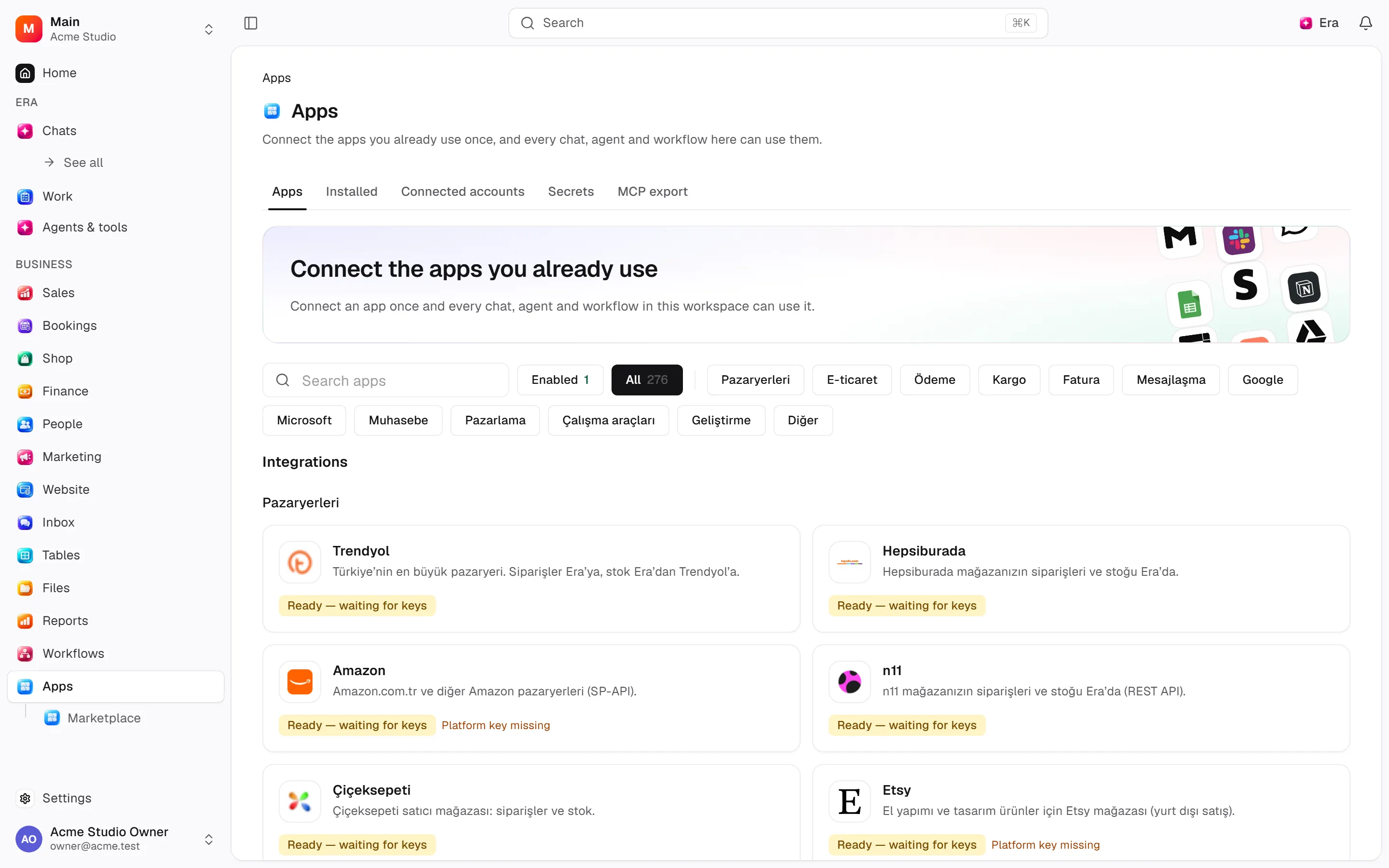
Operations teams inspect external orders, product mappings, stock pushes, shipments and e-invoices on app records.
Operations teams inspect external orders, product mappings, stock pushes, shipments and e-invoices on app records.
Where to find it
Web: open Apps. Desktop: Business → Apps, using the same record paths. Disabled modules or missing read permission remove the navigation entry.
| Screen / tab | Web path | Usage | Desktop |
|---|---|---|---|
| App integrations | /apps/[id] | Record or editor | Native screen |
| Integration panels | /shop/orders/[id] | Record or editor | Native screen |
Start working
Step 1
Select app account/resources.
Step 2
Map listings to catalog variants.
Step 3
Sync and review issues/history.
Step 4
Create/cancel shipments.
Step 5
Review e-invoice/review-reply outcomes.
Settings
Option-by-option configuration and screen paths: Settings guide.
There is no separate settings route; the guide distinguishes record options from declared defaults.
Permissions and limits
Before you start
No separate sidebar row exists; use app/order panels. Sending a request differs from provider success.
Role capabilities: Read (read), Write (write), Delete/archive (delete), Manage (manage), Handle automated delivery/jobs (handle), Export (export).
Own-record restrictions apply equally to lists, records and Era. Record state or missing data can refuse an otherwise permitted action.
Ask Era
Show unresolved marketplace sync issues.
Select relevant records for Era context. Era respects modules/roles; external or confirmation-sensitive work can stop for approval. Use era tools in the terminal to inspect currently available tools.
Automation and events
These declared events are available to module-event triggers. Subscribing does not configure the next operation; choose recipients, conditions and actions separately.
Operation details
The inventory includes record, configuration, visitor and background flows. IDs support Era/automation; not every row is a menu button. Asterisks mark required inputs. Unmapped rows do not imply a visible control.
| Operation and ID | Inputs | Permission | Screen or flow |
|---|---|---|---|
Connect an app for syncing · integrations.connect | App *, Name, Connection, Sales channel, Warehouse, Account settings, What to sync | Manage | Record/API/visitor flow; no separate screen button mapped |
Change what an app syncs · integrations.update_settings | Account *, What to sync, Account settings, Name, Warehouse | Manage | /apps/[id] |
Pause or resume syncing · integrations.set_paused | Account *, Paused * | Manage | /apps/[id] |
Disconnect an app · integrations.disconnect | Account * | Delete/archive | /apps/[id] |
Sync now · integrations.request_sync | Account, App, What, Asked by | Write | /apps/[id] |
Record a sync run · integrations.record_run | Account *, Run, Feed, Trigger, Status, Counts, Message, Job, Cursors, Feed done, Error | Handle automated delivery/jobs | Record/API/visitor flow; no separate screen button mapped |
Record listings · integrations.upsert_listings | Account *, Listings * | Handle automated delivery/jobs | Record/API/visitor flow; no separate screen button mapped |
Tie a listing to a product · integrations.map_listing | Listing *, Variant, How | Write | /apps/[id] |
Record a stock push · integrations.record_stock_push | Account *, Results *, Provider batch | Handle automated delivery/jobs | Record/API/visitor flow; no separate screen button mapped |
Raise a sync issue · integrations.raise_issue | Account *, Kind *, About, Message *, Detail, Order, Variant | Handle automated delivery/jobs | Record/API/visitor flow; no separate screen button mapped |
Close a sync issue · integrations.resolve_issue | Issue *, Close as | Write | /apps/[id] |
Record a connection test · integrations.record_test | Account *, Passed *, What happened * | Manage | Record/API/visitor flow; no separate screen button mapped |
Record a webhook delivery · integrations.record_inbound | Account *, Delivery *, Topic, Accepted *, Why refused | Handle automated delivery/jobs | Record/API/visitor flow; no separate screen button mapped |
Send with a carrier · integrations.create_shipment | Order *, Carrier account, Parcels (1–99), Desi (0–1000), Weight (kg) (0–1000), Cash on delivery (minor units) | Write | /apps |
Cancel a parcel · integrations.cancel_shipment | Parcel * | Write | /apps, /apps/[id] |
Record a carrier answer · integrations.record_shipment | Parcel *, Status, Tracking number, Barcode, Label, Tracking page, Latest movement, When, Refusal | Handle automated delivery/jobs | Record/API/visitor flow; no separate screen button mapped |
Invoice an order (e-Arşiv / e-Fatura) · integrations.issue_einvoice | Order *, E-invoice account | Write | /apps |
Record an e-invoice answer · integrations.record_einvoice | E-invoice *, Status *, Kind, Provider id, Number, PDF, Refusal | Handle automated delivery/jobs | Record/API/visitor flow; no separate screen button mapped |
Record reviews · integrations.record_reviews | Account *, Reviews * | Handle automated delivery/jobs | Record/API/visitor flow; no separate screen button mapped |
Reply to a review · integrations.reply_review | Review *, Reply * | Write | /apps/[id] |
Record a review reply answer · integrations.record_review_reply | Review *, Published *, When, Refusal | Handle automated delivery/jobs | Record/API/visitor flow; no separate screen button mapped |
Related guides
Related integrations
Open a guide for connection fields, account selection and app-specific limits.



Technical sources
packages/os-kernel/src/modules/integrations.ts, packages/os-kernel/src/modules/index.ts, apps/studio/lib/os/navigation.ts, apps/studio/lib/os/settings-groups.ts, apps/era-station/apps/web/src/era/business/screens.ts.
Screen pictures
Publish product variants from chat
Ask Era to prepare the product options and variants, then publish them to your connected Trendyol account. Provide real Trendyol brand, category and attribute IDs, distinct barcodes and HTTPS images. Era reads prices from the catalogue and limits tracked quantities to the channel's free stock. Publication requires Integrations write permission and confirmation on both web and desktop.
A queued request is not a published product. The integration run keeps the Trendyol batch reference and checks its result in the background. Errors appear in the account's run history. Successful transfer still requires Trendyol approval before the product goes live. Approved content/variant updates and unapproved-product updates use their respective V2 endpoints.