Calendar and appointments
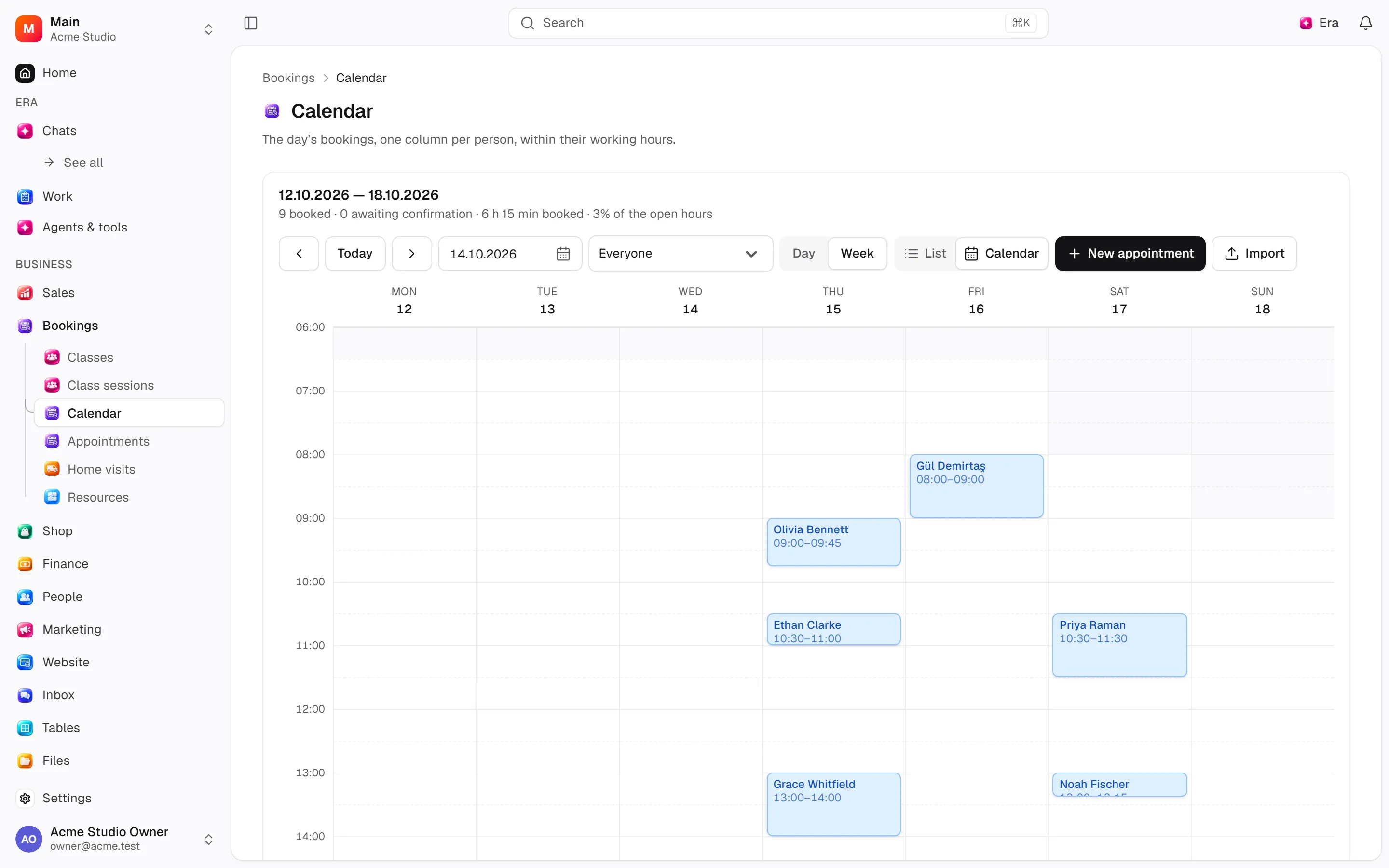
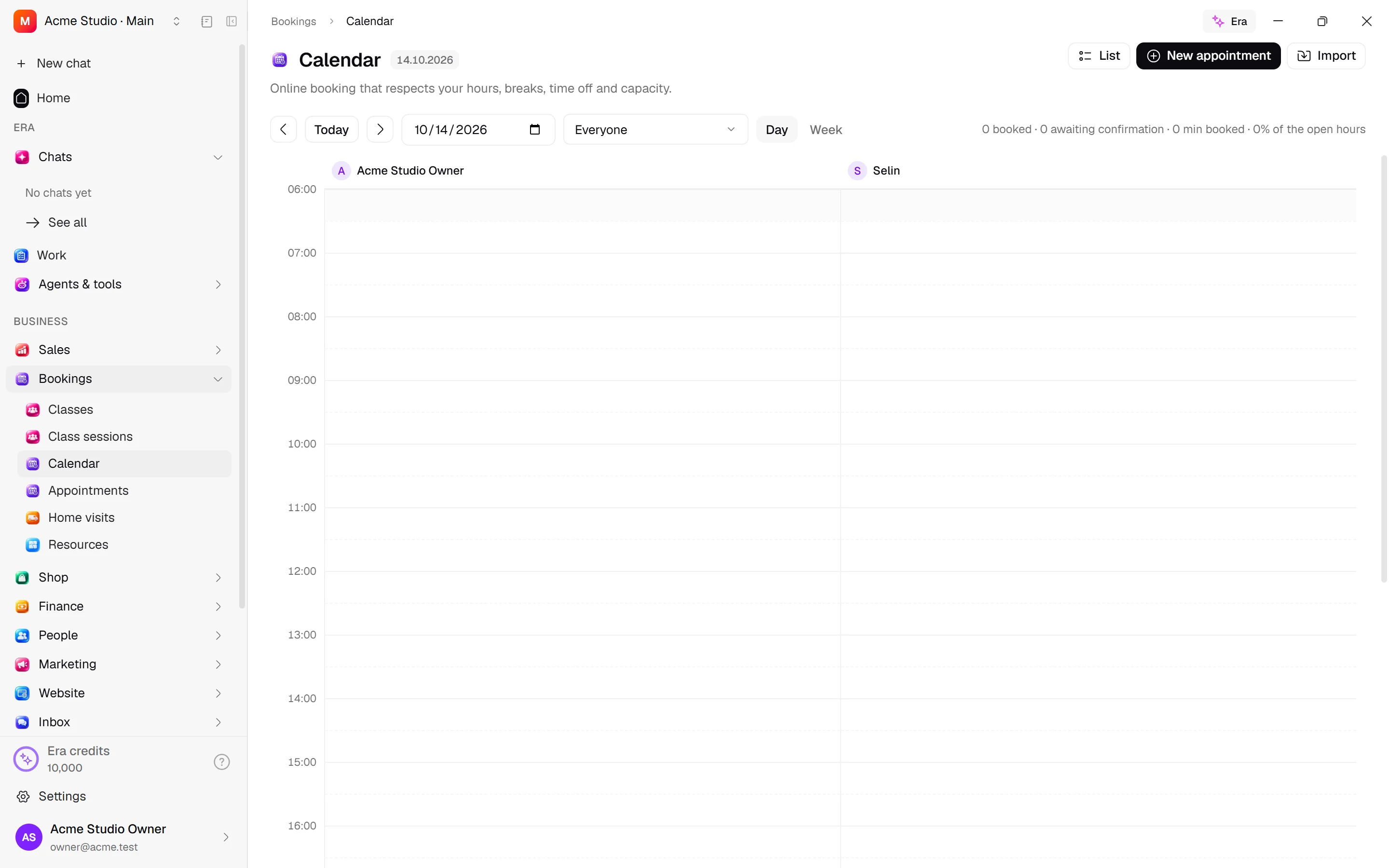
Reception teams combine customers, services, staff and time in bookings. Calendar, list and overview show the same appointments.
Reception teams combine customers, services, staff and time in bookings. Calendar, list and overview show the same appointments.
Where to find it
Web: open Bookings. Desktop: Business → Bookings, using the same record paths. Disabled modules or missing read permission remove the navigation entry.
| Screen / tab | Web path | Usage | Desktop |
|---|---|---|---|
| Calendar | /appointments | List, view or tab | Native screen |
| Appointments | /appointments/list | List, view or tab | Native screen |
| Overview | /appointments/dashboard | List, view or tab | Native screen |
| New appointment | /appointments/new | List, view or tab | Native screen |
| Record details | /appointments/[id] | Record or editor | Native screen |
Record tabs and panels
These contributions appear when their modules are enabled and permitted, alongside the record’s own tabs. Check module/permission state if missing.
| Area | Kind | Owning module |
|---|---|---|
| Tasks | Panel | ai |
| Home visit | Panel | field_service |
| Group class | Contribution | group_classes |
| Monthly package | Contribution | packages |
| Cover from a package | Contribution | packages |
| Resource | Contribution | resources |
Start working
Step 1
Choose customer, services, worker and a free time in New booking.
Step 2
Review guests/services, add a note and save.
Step 3
Confirm, reschedule/reassign and add/remove guests/services.
Step 4
Mark completion, no-show or cancellation with a reason.
Step 5
Manage reminders/bans in Settings; import/export when permitted.
Settings
Option-by-option configuration and screen paths: Settings guide.
- Booking rules ·
/settings/appointments - Banned customers ·
/settings/appointments/bans - Reminders ·
/settings/appointments/reminders
Permissions and limits
Before you start
Hours, leave, providers, service days, buffers, resources and windows are checked together. Availability diagnostics explain rejected times. Deposit settings exist in the contract but not as separate controls in the main rules form.
Role capabilities: Read (read), Write (write), Delete/archive (delete), Manage (manage), Approve (approve), Export (export), Import (import), Comment (comment), Handle automated delivery/jobs (handle), Own records only (own_records_only).
Own-record restrictions apply equally to lists, records and Era. Record state or missing data can refuse an otherwise permitted action.
Ask Era
Find available times tomorrow for this service for two guests.
Select relevant records for Era context. Era respects modules/roles; external or confirmation-sensitive work can stop for approval. Use era tools in the terminal to inspect currently available tools.
Automation and events
These declared events are available to module-event triggers. Subscribing does not configure the next operation; choose recipients, conditions and actions separately.
Operation details
The inventory includes record, configuration, visitor and background flows. IDs support Era/automation; not every row is a menu button. Asterisks mark required inputs. Unmapped rows do not imply a visible control.
| Operation and ID | Inputs | Permission | Screen or flow |
|---|---|---|---|
Book an appointment · appointments.book | Customer *, Service *, Date *, Start time *, Team member, Note | Write | Record/API/visitor flow; no separate screen button mapped |
Cancel my booking · appointments.cancel_my_booking | Booking * | Write | Record/API/visitor flow; no separate screen button mapped |
Move my booking · appointments.reschedule_my_booking | Booking *, New date *, New start time * | Write | Record/API/visitor flow; no separate screen button mapped |
Book an appointment · appointments.book_group | Guests and their services *, Date *, Start time *, Note, Address | Write | /appointments/new |
Add a guest · appointments.add_guest | Appointment *, Customer *, Their first service, Team member, Price shown | Write | /appointments/[id] |
Add a service · appointments.add_guest_service | Guest *, Service *, Team member, Price shown | Write | /appointments/[id] |
Move the appointment · appointments.reschedule | Appointment *, New date *, New start time * | Write | /appointments |
Change who does it · appointments.assign_member | Service line *, Team member | Write | /appointments, /appointments/[id] |
Remove a guest · appointments.remove_guest | Guest * | Write | /appointments/[id] |
Remove a service · appointments.remove_service | Service line * | Write | /appointments/[id] |
Edit the note · appointments.update_details | Appointment *, Note, Address | Write | /appointments/[id] |
Confirm an appointment · appointments.confirm | Appointment * | Approve | /appointments/[id] |
Cancel an appointment · appointments.cancel | Appointment *, Reason | Write | /appointments/[id] |
Mark as completed · appointments.complete | Appointment * | Write | /appointments/[id] |
Mark as no-show · appointments.no_show | Appointment * | Write | /appointments/[id] |
Ban from booking · appointments.ban_customer | Email, Phone, Reason, Notes | Manage | /appointments, /settings/appointments/bans |
Lift a ban · appointments.lift_ban | Ban * | Manage | /settings/appointments/bans |
Raise a booking reminder · appointments.raise_reminder | Appointment * | Handle automated delivery/jobs | Record/API/visitor flow; no separate screen button mapped |
Booking reminders for a person · appointments.set_reminder_opt_out | Customer *, Do not remind * | Write | /appointments/[id] |
Change the guest · appointments.change_guest_customer | Guest *, Customer * | Write | /appointments/[id] |
Export appointments · appointments.export | From *, To *, Status | Export | Record/API/visitor flow; no separate screen button mapped |
Import appointments · appointments.import | File *, Column mapping *, Prepared rows * | Import | /appointments |
Update booking deposit · appointments.mark_deposit_status | Appointment *, Deposit status * | Handle automated delivery/jobs | Record/API/visitor flow; no separate screen button mapped |
Book online · appointments.book_online | Services *, Date *, Start time *, Team member, Note, Address | Write | Record/API/visitor flow; no separate screen button mapped |
Cancel by link · appointments.cancel_by_token | Link *, Reason | Write | Record/API/visitor flow; no separate screen button mapped |
Move by link · appointments.reschedule_by_token | Link *, New date *, New start time * | Write | Record/API/visitor flow; no separate screen button mapped |
Related guides
Settings
Options, screen paths and defaults.
Workflows
Operations managers connect triggered blocks on a canvas with conditions, loops and approval waits.
Bookings
Bookings — modules and detailed settings
Technical sources
packages/os-kernel/src/modules/appointments.ts, packages/os-kernel/src/modules/index.ts, apps/studio/lib/os/navigation.ts, apps/studio/lib/os/settings-groups.ts, apps/era-station/apps/web/src/era/business/screens.ts.
Screen pictures
Status summary
Five cards above the list show Total, Pending, Confirmed, Completed and Cancelled across all appointments you may read, rather than just the current page. Existing view tabs remain; row status actions update the counts.