Field types and conversion
Choose data types, options and conversion rules.
Types govern storage/validation.
Where
Web: Tables · /tables. Desktop: Business → Tables.
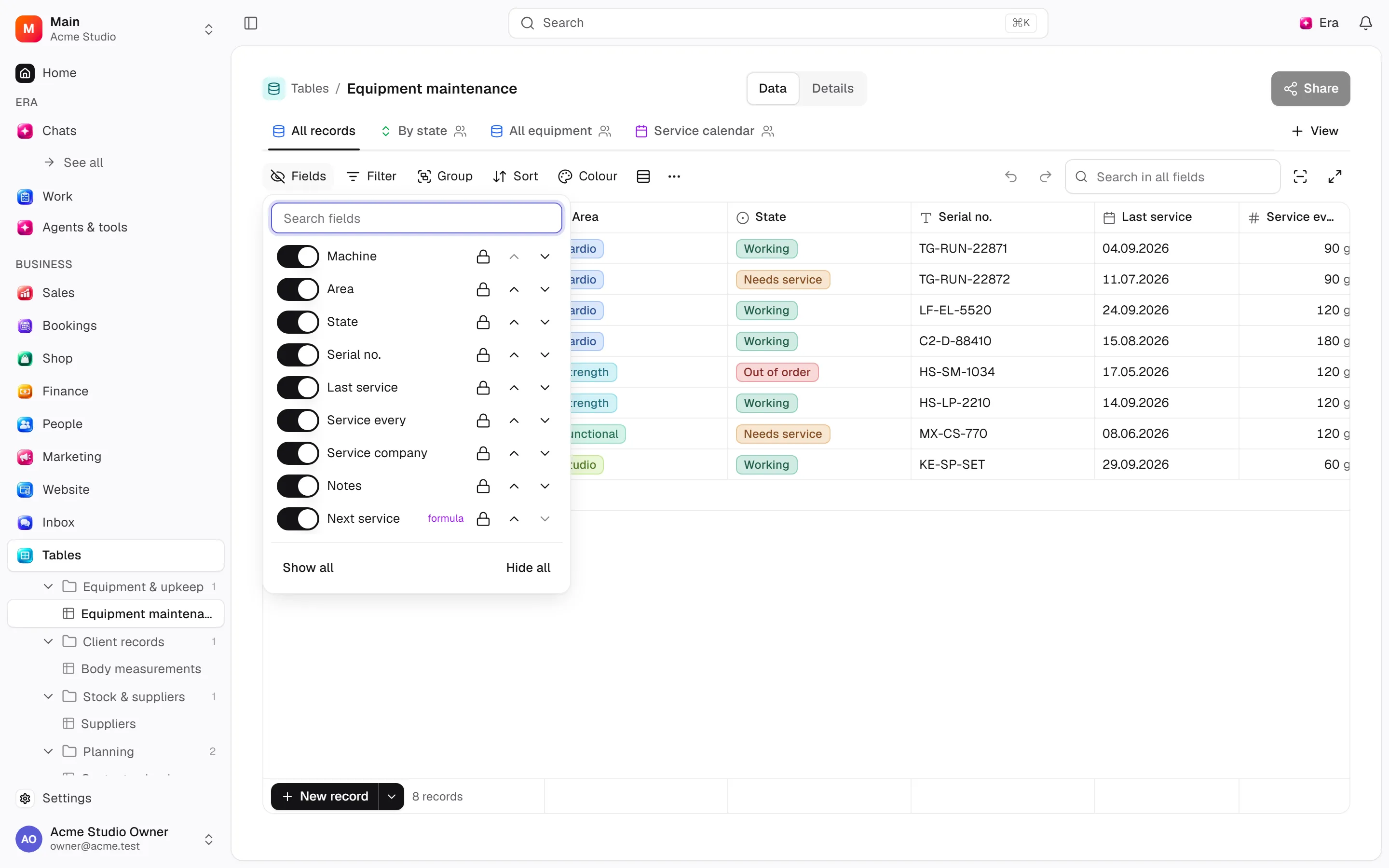
Step by step
Choose the right data type
The field type controls storage and validation; distinguish it from display format.
Configure choices
Set choice names, colors and order and select the record display field.
Review conversion
Incompatible records can block a type change. Resolve formula dependencies before removing a field.
What to know
Text includes single/long/rich text, email, URL, phone, colour and time. Numeric types include number, decimal, currency, percent, duration, rating and year.
Other types include checkbox, date/date-time, single/multi select, swatch, attachment, reference, JSON, location and workspace user. Computed types include links, lookup, rollup, formula, count, barcode, QR, button, created/modified times/users and auto-number.
Configure choice names/colours/order and display fields. Conversion may refuse incompatible records; resolve formula dependencies before removing fields.
Actions and permissions
| Operation and ID | Inputs | Permission | Screen or flow |
|---|---|---|---|
Add a field · data.add_column | Table *, Label *, Key *, Type *, Shown as, Unit, Required, Filterable, Available as a column, Visible on the storefront, Help text, Description, Colour, Default, Order, Points at, Record type, Validation, Choices, How it is shown | Manage | /tables/[tableId], /tables/[tableId]/sync |
Edit a field · data.update_column | Field *, Label, Shown as, Unit, Required, Filterable, Available as a column, Visible on the storefront, Help text, Description, Colour, Default, Order, How it is shown, Validation, Archived | Manage | /data/[id], /settings/custom-fields, /tables/[tableId] |
Change a field’s type · data.change_column_type | Field *, New type * | Manage | /data/[id], /tables/[tableId] |
Remove a field · data.remove_column | Field * | Delete/archive | /data/[id], /settings/custom-fields, /tables/[tableId] |
Set as display value · data.set_display_field | Field * | Manage | /tables/[tableId] |
Edit the choices · data.set_select_options | Field *, Choices * | Manage | /tables/[tableId] |
Add a lookup, rollup or formula · data.add_computed_field | Table *, Kind *, Name *, Key, Through the link, Field of the linked table, Summary, Formula, Field the code carries, When clicked, Link, Button text, Button colour | Manage | /tables/[tableId] |
Edit a computed field · data.update_computed_field | Field *, Name, Formula, Summary, Field of the linked table, Field the code carries, When clicked, Link, Button text, Button colour | Manage | /tables/[tableId] |
Settings and related guides
Ask Era
Prepare a requests table with customer, owner, status and date.