Views forms and preview
Show the same records in different layouts or collect them through a form.
Grid supports cell editing/bulk selection; Gallery uses cards.
Where
Web: Tables · /tables. Desktop: Business → Tables.
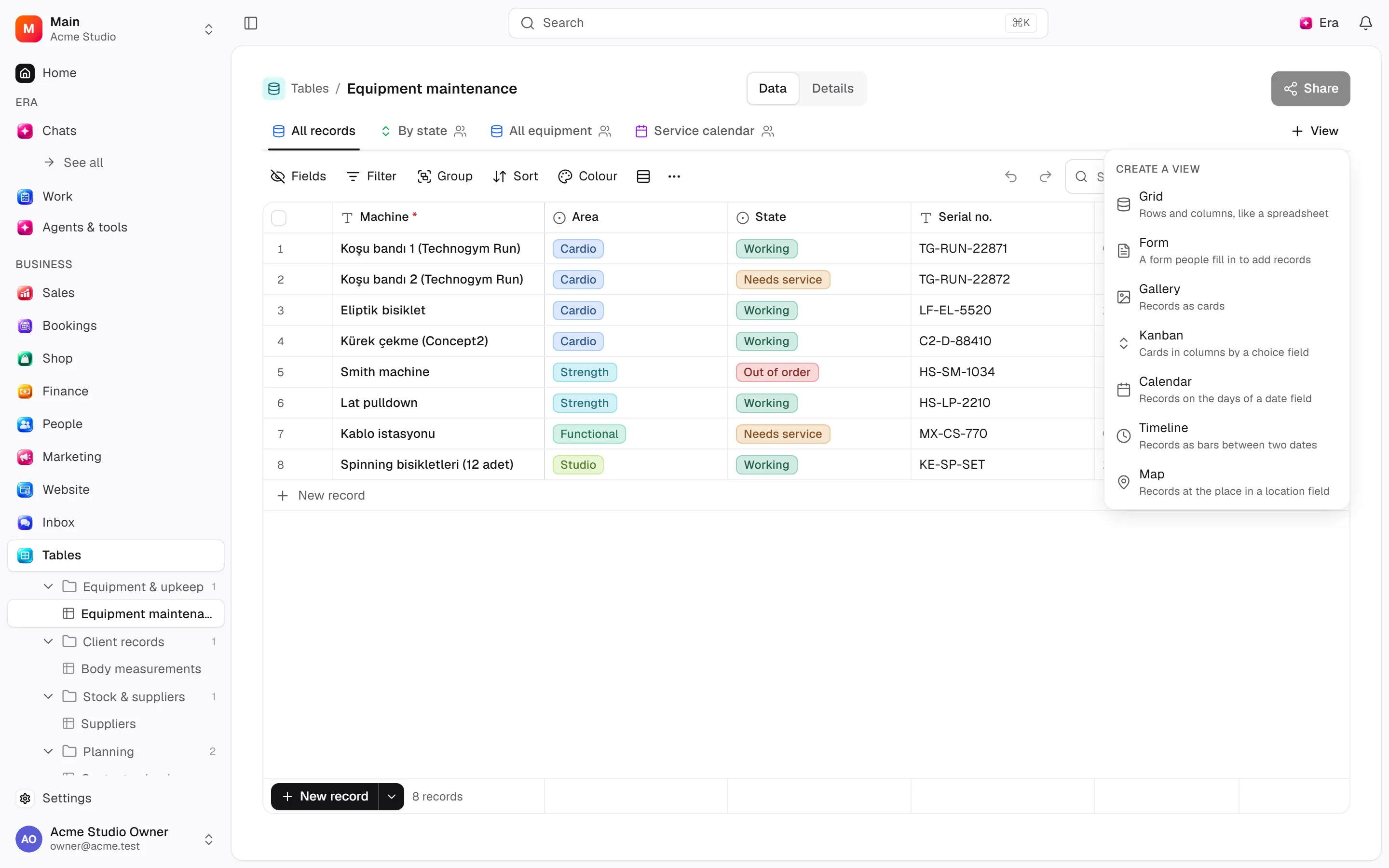
Step by step
Choose the layout
Choose Grid, Gallery, Kanban, Calendar, Timeline, Map or Form for the task.
Map the fields
Kanban needs a status field, Calendar a date, Timeline a date range and Map a location.
Preview the form
Configure question order, visible and required fields and completion text. Use Preview, then create a share link to collect submissions.
What to know
Kanban stacks by a choice field: choose Stacked by and check field changes when moving cards. Calendar needs dates, Timeline a range and Map location.
Configure Form field order/visibility/requirements and completion text; Preview shows the visitor view, while sharing enables submissions. Filters do not delete records and views do not expand roles.
Actions and permissions
| Operation and ID | Inputs | Permission | Screen or flow |
|---|---|---|---|
Add a record · data.insert_row | Table *, Values * | Write | /tables/[tableId] |
Edit a record · data.update_row | Record *, Values * | Write | /tables/[tableId] |
Move a record · data.move_row | Record *, After record | Write | /tables/[tableId] |
Edit several records · data.update_rows | Table *, Per-record values, Records, Filter, Values | Write | /tables/[tableId] |
Delete several records · data.delete_rows | Table *, Records, Filter | Delete/archive | /tables/[tableId] |
Settings and related guides
Ask Era
Prepare a requests table with customer, owner, status and date.