Site: pages, design and domains
Site managers control languages, visitor access, themes/domains; the editor manages sections, styling and publication versions.
Site managers control languages, visitor access, themes/domains; the editor manages sections, styling and publication versions.
Where to find it
Web: open Website. Desktop: Business → Website, using the same record paths. Disabled modules or missing read permission remove the navigation entry.
| Screen / tab | Web path | Usage | Desktop |
|---|---|---|---|
| Pages (and the menu) | /sites | Tab | Native screen |
| Design | /sites/design | Tab | Native screen |
| Domains | /sites/domains | Tab | Native screen |
| All sites | /sites/all | Tab | Native screen |
| Theme editor | /sites/editor | Opened from Design | Native screen |
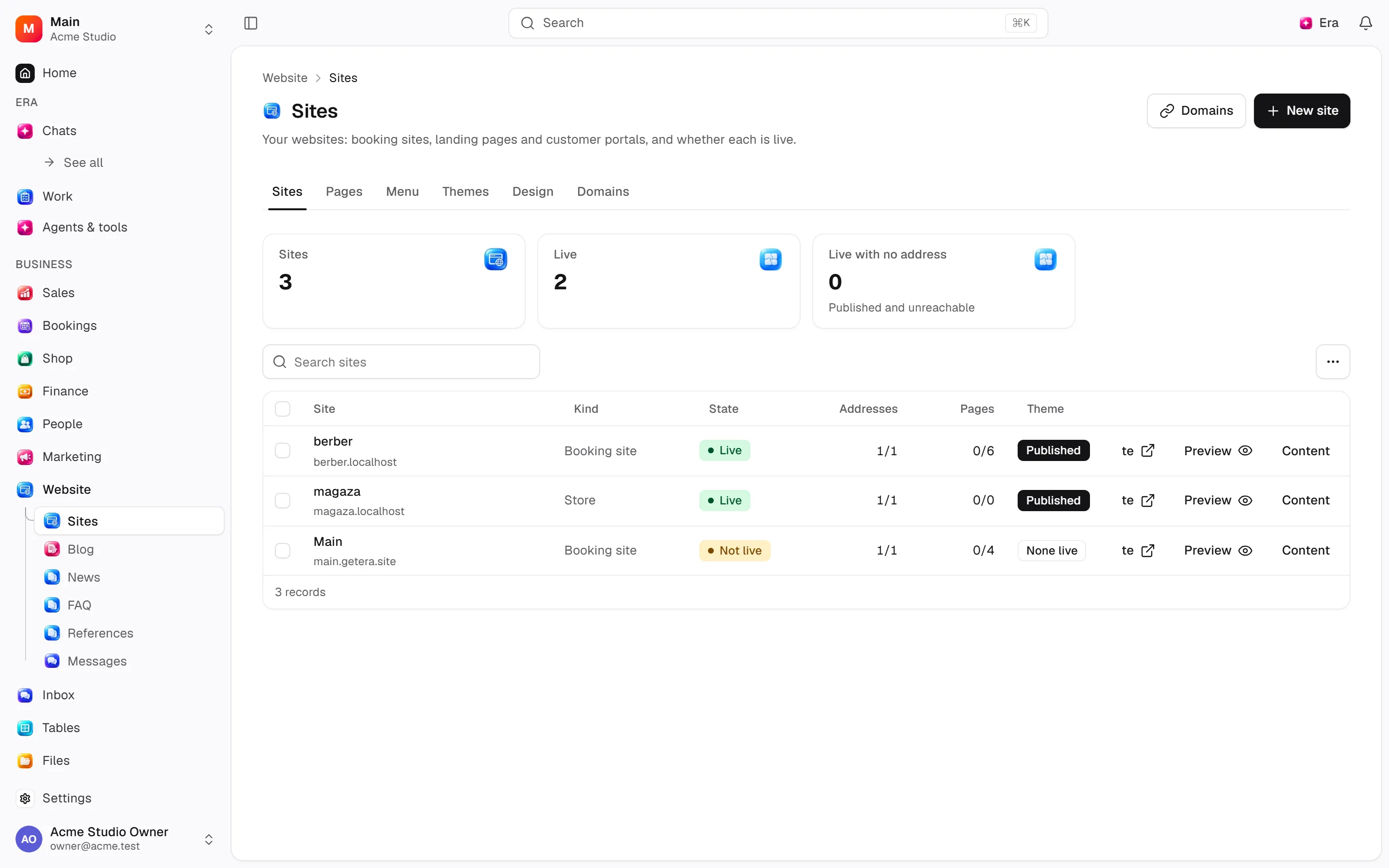
Website is one module (site): the old Sites switch is gone, and one Site screen holds everything as tabs. The menu is not a separate screen: on Pages each page has a header-menu and a footer-menu switch and its place in the order. Design holds the theme (fonts, colours, header/footer, search details, versions) and opens the theme editor. Any site can be designed and can carry shop pages; there is no site type. Old addresses (/site/pages, /site/navigation, /sites/themes, /storefront) redirect here.
Record tabs and panels
These contributions appear when their modules are enabled and permitted, alongside the record’s own tabs. Check module/permission state if missing.
| Area | Kind | Owning module |
|---|---|---|
| Online booking | Contribution | appointments |
| Service menu | Contribution | appointments |
| Services | Contribution | appointments |
| Service page | Contribution | appointments |
| Book online | Contribution | appointments |
| Manage booking | Contribution | appointments |
| Opening hours | Contribution | availability |
| Team | Contribution | employees |
| Team | Contribution | employees |
| Payment link | Contribution | finance |
| Form | Contribution | forms |
| Class timetable | Contribution | group_classes |
| Classes | Contribution | group_classes |
| Upcoming events | Contribution | happenings |
| Events | Contribution | happenings |
| Event page | Contribution | happenings |
| Help center | Contribution | help_center |
| Help center | Contribution | help_center |
| Help category | Contribution | help_center |
| Help article | Contribution | help_center |
| Chat bubble | Contribution | inbox |
| Packages | Contribution | packages |
| Packages | Contribution | packages |
| Product listing | Contribution | retail |
| Product details | Contribution | retail |
| Basket | Contribution | retail |
| Checkout | Contribution | retail |
| Order confirmation | Contribution | retail |
| Brands | Contribution | retail |
| Brands | Contribution | retail |
| Brand | Contribution | retail |
| Products | Contribution | retail |
| Product | Contribution | retail |
| Category | Contribution | retail |
| Collection | Contribution | retail |
| Search | Contribution | retail |
| Basket | Contribution | retail |
| Checkout | Contribution | retail |
| Order confirmation | Contribution | retail |
| Blog | Contribution | site |
| News | Contribution | site |
| FAQ | Contribution | site |
| References | Contribution | site |
| Contact Form | Contribution | site |
| Post list | Contribution | site |
| FAQ with search | Contribution | site |
| Policy text | Contribution | site |
| Blog | Contribution | site |
| Blog post | Contribution | site |
| News | Contribution | site |
| News article | Contribution | site |
| FAQ | Contribution | site |
| References | Contribution | site |
| Contact | Contribution | site |
Start working
Step 1
Create a site under All sites with its language and visitor access.
Step 2
Open Design and start or open the draft.
Step 3
Edit sections in the theme editor, or fonts, colours and header/footer right on Design.
Step 4
Preview/save/publish/restore versions.
Step 5
Add, verify and set the primary address on Domains; put pages in the menu on Pages.
Settings
Option-by-option configuration and screen paths: Settings guide.
There is no separate settings route; the guide distinguishes record options from declared defaults.
Permissions and limits
Before you start
Domain creation does not automatically change DNS; verification is required. Saving drafts does not publish. Desktop has a theme-editor surface.
Role capabilities: Read (read), Write (write), Delete/archive (delete), Manage (manage).
Own-record restrictions apply equally to lists, records and Era. Record state or missing data can refuse an otherwise permitted action.
Ask Era
Restyle the homepage draft with our brand colours.
Select relevant records for Era context. Era respects modules/roles; external or confirmation-sensitive work can stop for approval. Use era tools in the terminal to inspect currently available tools.
Automation and events
These declared events are available to module-event triggers. Subscribing does not configure the next operation; choose recipients, conditions and actions separately.
Operation details
The inventory includes record, configuration, visitor and background flows. IDs support Era/automation; not every row is a menu button. Asterisks mark required inputs. Unmapped rows do not imply a visible control.
| Operation and ID | Inputs | Permission | Screen or flow |
|---|---|---|---|
Create a site · site.create_site | Starting layout, Name *, Address, Default language, Visitor sign-in | Manage | /sites/all |
Show my website · site.share_links | Site | Read | Record/API/visitor flow; no separate screen button mapped |
Change visitor sign-in · site.set_auth_mode | Site *, Visitor sign-in * | Manage | Record/API/visitor flow; no separate screen button mapped |
Set site languages · site.set_locale | Site *, Default language *, Available languages | Manage | /settings/languages |
Take a site live · site.publish | Site * | Manage | /sites/all |
Take a site down · site.unpublish | Site * | Manage | /sites/all |
Add an address · site.add_domain | Site *, Hostname * | Manage | /sites/domains |
Verify an address · site.verify_domain | Address *, Observed TXT records * | Manage | /sites/domains |
Make an address primary · site.set_primary_domain | Address * | Manage | /sites/domains |
Remove an address · site.remove_domain | Address *, Remove anyway | Manage | /sites/domains |
Publish a theme · site.publish_theme | Theme * | Manage | /sites/design |
Save a theme draft · site.save_theme_draft | Theme *, Theme configuration * | Write | Record/API/visitor flow; no separate screen button mapped |
Save a page layout · site.set_page_blocks | Theme *, Page *, Blocks * | Write | /sites/design |
Add a page section · site.add_page_block | Page *, Section *, Block type *, Block data *, Visible, Position | Write | Record/API/visitor flow; no separate screen button mapped |
Edit a page section · site.edit_page_block | Page *, Section *, Block type, Block data, Visible | Write | Record/API/visitor flow; no separate screen button mapped |
Move a page section · site.move_page_block | Page *, Section *, Position * | Write | Record/API/visitor flow; no separate screen button mapped |
Remove a page section · site.remove_page_block | Page *, Section * | Write | Record/API/visitor flow; no separate screen button mapped |
Restyle a theme · site.set_theme_tokens | Theme *, Palette, Typography, Layout, Dark mode, Motion | Write | /sites/design |
Set site widgets · site.set_site_widgets | Theme *, Widgets * | Write | Record/API/visitor flow; no separate screen button mapped |
Set the header and footer · site.set_chrome | Theme *, Header, Footer, Header sits at, Footer sits at | Write | /sites/design |
Set the search details · site.set_theme_seo | Theme *, Site defaults, Page, Page overrides | Write | /sites/design |
Start a draft · site.create_theme_draft | Site *, Name | Manage | /sites/design |
Roll back to a theme · site.rollback_theme | Theme * | Manage | /sites/design |
Save a site version · site.snapshot_theme | Theme *, Kind, Name | Manage | Record/API/visitor flow; no separate screen button mapped |
Schedule a theme · site.schedule_theme_publish | Theme *, Publish at * | Manage | Record/API/visitor flow; no separate screen button mapped |
Cancel a scheduled theme · site.cancel_theme_schedule | Theme * | Manage | Record/API/visitor flow; no separate screen button mapped |
Restore a site version · site.restore_theme_snapshot | Version * | Write | Record/API/visitor flow; no separate screen button mapped |
Add a section to a page · site.add_section | Site, Page, Kind of section *, Its words and settings, Position from 1, After the section, Add it hidden | Write | Record/API/visitor flow; no separate screen button mapped |
Edit a section · site.edit_section | Site, Page, Section *, Words, Image link, Which image, Settings to merge, Visible, Hide on, Show again on, Language of the words | Write | Record/API/visitor flow; no separate screen button mapped |
Move a section · site.move_section | Site, Page, Section *, New position from 1, Or | Write | Record/API/visitor flow; no separate screen button mapped |
Remove a section · site.remove_section | Site, Page, Section * | Write | Record/API/visitor flow; no separate screen button mapped |
Restyle the site · site.restyle | Site, Brand colour, Colours, Dark-mode colours, Heading font, Text font, Text size (px), Corner roundness (0–2), Spacing, Content width, Buttons, Dark mode | Write | Record/API/visitor flow; no separate screen button mapped |
Publish the site’s changes · site.publish_draft | Site | Manage | Record/API/visitor flow; no separate screen button mapped |
Related guides
Theme editor and versions
Steps, actions and related settings.
Settings
Options, screen paths and defaults.
Workflows
Operations managers connect triggered blocks on a canvas with conditions, loops and approval waits.
Website
Website — modules and detailed settings
Technical sources
packages/os-kernel/src/modules/site.ts, packages/os-kernel/src/modules/index.ts, apps/studio/lib/os/navigation.ts, apps/studio/lib/os/settings-groups.ts, apps/era-station/apps/web/src/era/business/screens.ts.
Desktop editor surfaces: apps/era-station/apps/web/src/era/surfaces/theme/ThemeEditorScreen.tsx.