Organization, workspaces and language
Edit company details, workspaces and regional defaults.
An organization represents your company; a workspace is a separate membership and data area inside it. Web and desktop: Settings → Organization.
Before you start
Workspace deletion is irreversible. Disabling a module or cancelling a plan is different.
Turning modules on and off
Steps and focused answers.
Personal settings and notifications
Steps and focused answers.
Organization — /settings/organization
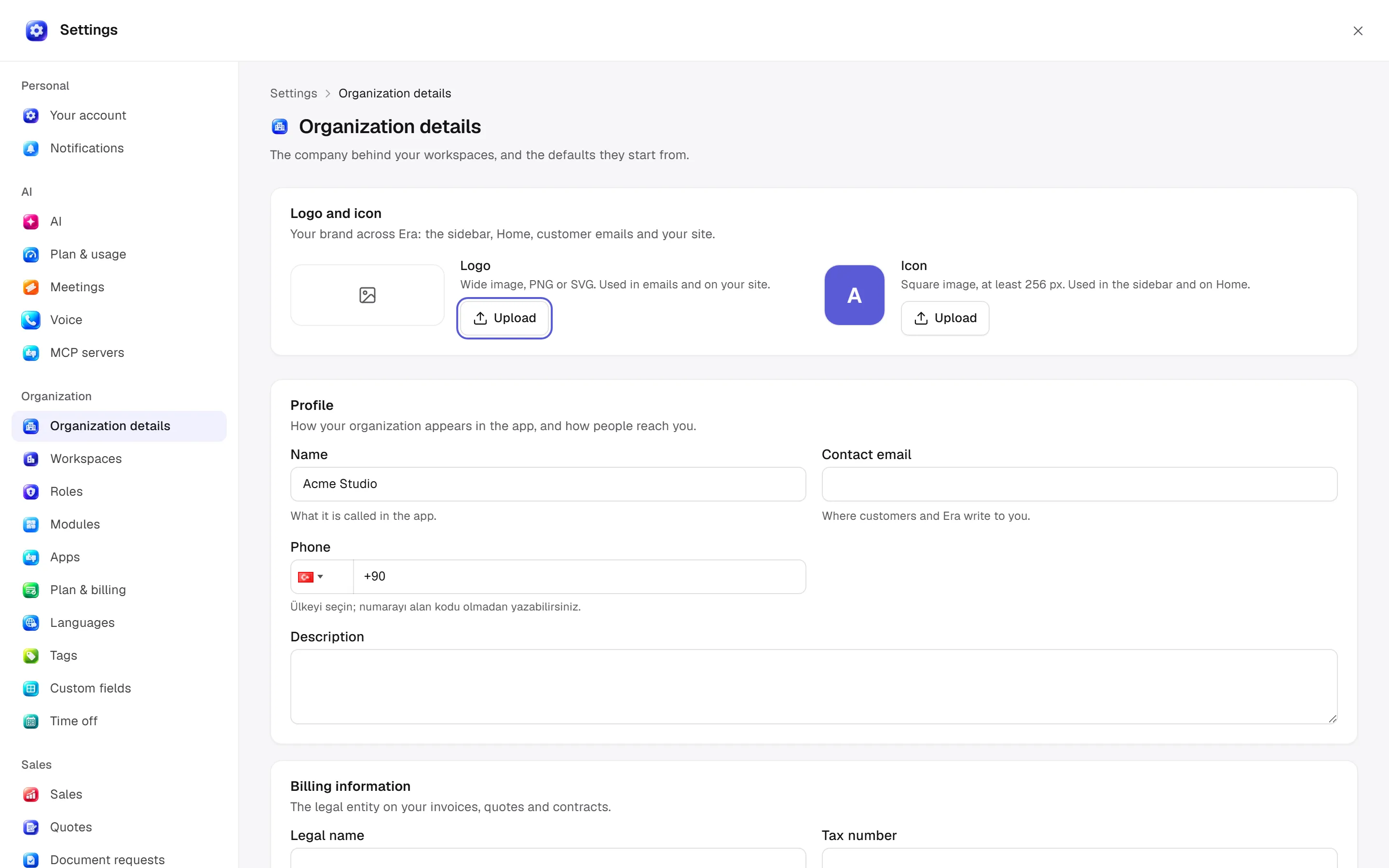
Profile: name, contact email, phone, description. Billing information: legal name, tax number, billing email, address, apartment/suite, city, postcode and region. These identify the business on invoices, quotes and contracts. Defaults: country, currency, language and time zone, inherited by workspaces unless overridden. A sales channel may use its own currency.
Use upload/remove controls for available brand-mark cards. Ownership transfer selects an eligible member and requires its confirmation; it has wider scope than changing a normal workspace role.
Workspaces — /settings/workspaces
The current workspace is marked. New workspace creates its own members, roles and data. Open one to work there; use its menu to edit name, currency and time zone. Workspace map shows contents and where to manage them. People are summarized across all workspaces and in the current one.
Deleting a workspace removes its customers, bookings, orders, files and other content, with confirmation and no undo. Switching off a module is different. Data does not automatically cross workspaces.
Languages — /settings/languages
Interface language changes the person's screen text. Site languages chooses published-content languages and the default. Regional settings:
| Option | Effect |
|---|---|
| Currency | New prices and money records; existing orders keep their currency. |
| Time zone | Business date/time default. |
| Number format | Follow language, Turkish 1.234,56 or English 1,234.56. |
| Date format | Follow language or choose an offered explicit format. |
| Prices include tax | Tax-inclusive site display; checkout still records tax separately. |
Save regional settings sets defaults for new prices, dates, reports and customer messages; it does not convert existing money records.
Who manages these?
Organization, workspace and i18n management have separate module/role checks. Reading does not authorize editing. Ask Era “Explain this workspace's language, time-zone and currency defaults.” See roles and modules.
Practical start
Check identity
Compare company identity in profile and billing details; ownership transfer is a separate decision.
Choose defaults
Choose country, currency, language and time zone for new records. Existing money records are not converted automatically.
Separate scope
Interface language belongs to the person; workspace defaults belong to the area. Save in the correct workspace.
App accounts and stored connections are explained under App settings. Ownership transfer makes another active member owner and makes you an admin; only the new owner can transfer it back.