Business modulesSales
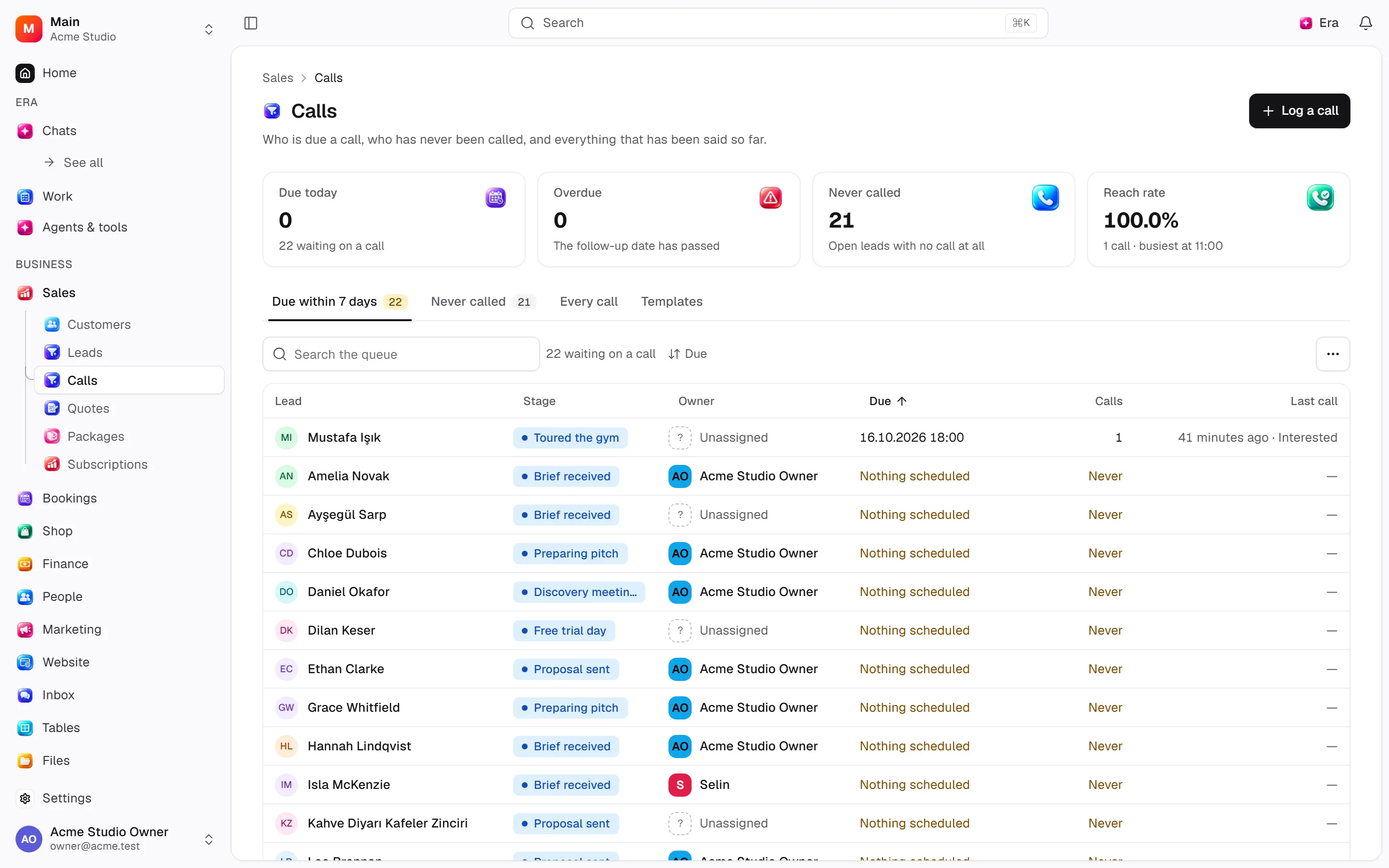
Calls and follow-up
Keep call results and next follow-up on the same lead.
The list offers recorded calls, follow-up and never-called views.
Where
Web: Sales · /leads/calls. Desktop: Business → Sales.
Step by step
Choose the working list
Open Calls, Needs follow-up or Never called.
Log the call
Select the lead and fill in date/time, status, result, notes and next follow-up.
Review the result
Check the lead status; amending the call can run the automatic closing rule again.
What to know
Link each call to a lead and set date/time, outcome, result, note and next follow-up. Templates insert reusable notes.
Amending rechecks auto-close. Excel export groups sheets by caller.
Configure dictionary behaviour under Settings → Sales → Calls.
Actions and permissions
| Operation and ID | Inputs | Permission | Screen or flow |
|---|---|---|---|
Log a call · crm.log_call | Lead *, Outcome *, Result *, Duration (minutes) (0–1440), Notes, Important, Follow up on, At, Follow-up notes | Write | /leads, /leads/[id] |
Correct a call · crm.amend_call | Call *, Outcome, Result, Notes, Duration (minutes) (0–1440), Important, Follow up on, At, Follow-up notes | Write | /leads/[id] |
Save a call template · crm.create_call_template | Template, Name *, Text *, In use | Manage | /leads/calls/templates |
Close a call template · crm.deactivate_call_template | Template * | Manage | /leads/calls/templates |
Export calls to Excel · crm.export_calls | Outcome, Called by, Called from, Called until | Export | Record/API/visitor flow; no separate screen button mapped |
Settings and related guides
Ask Era
Show this week’s leads needing follow-up by owner.