Customers
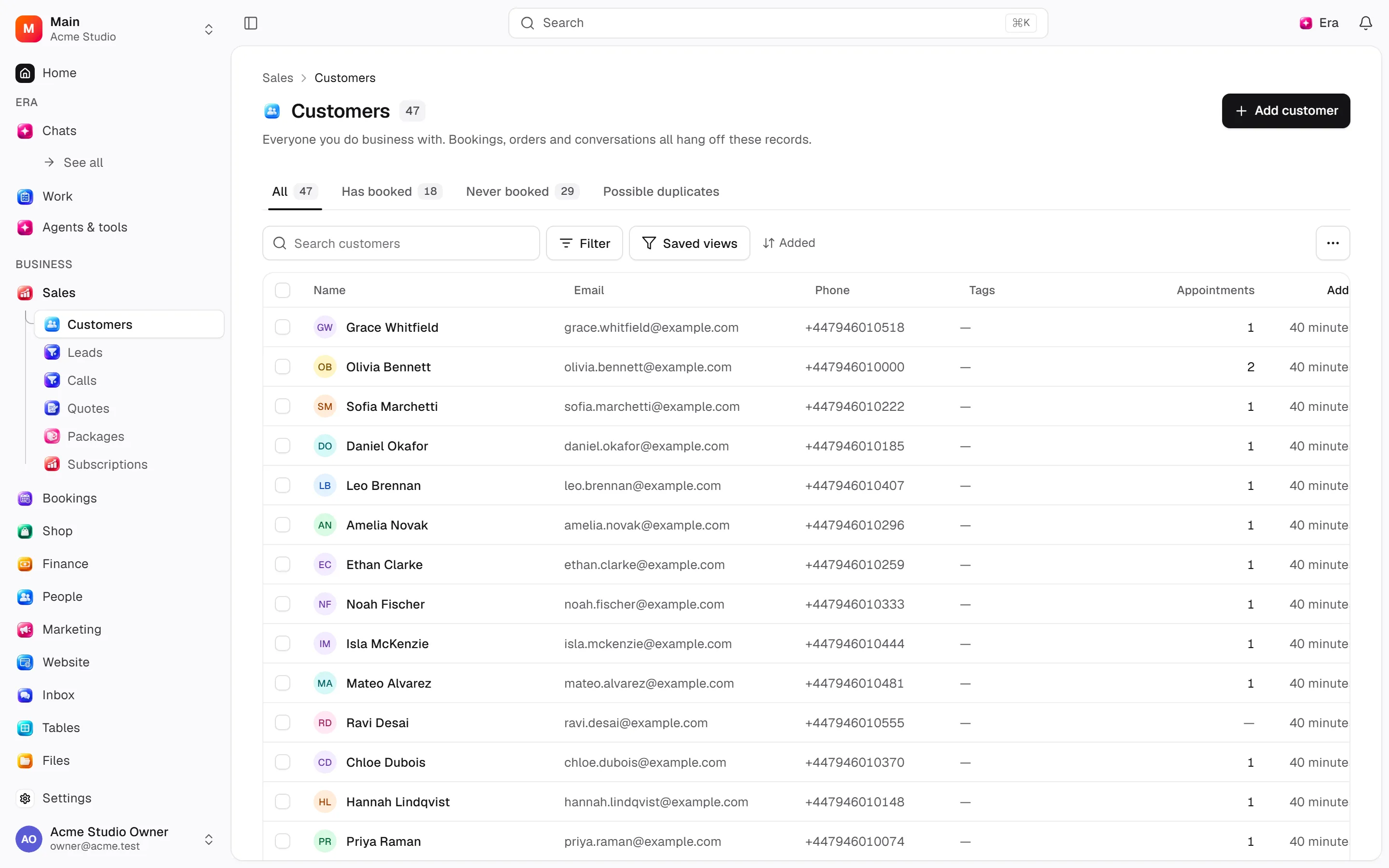
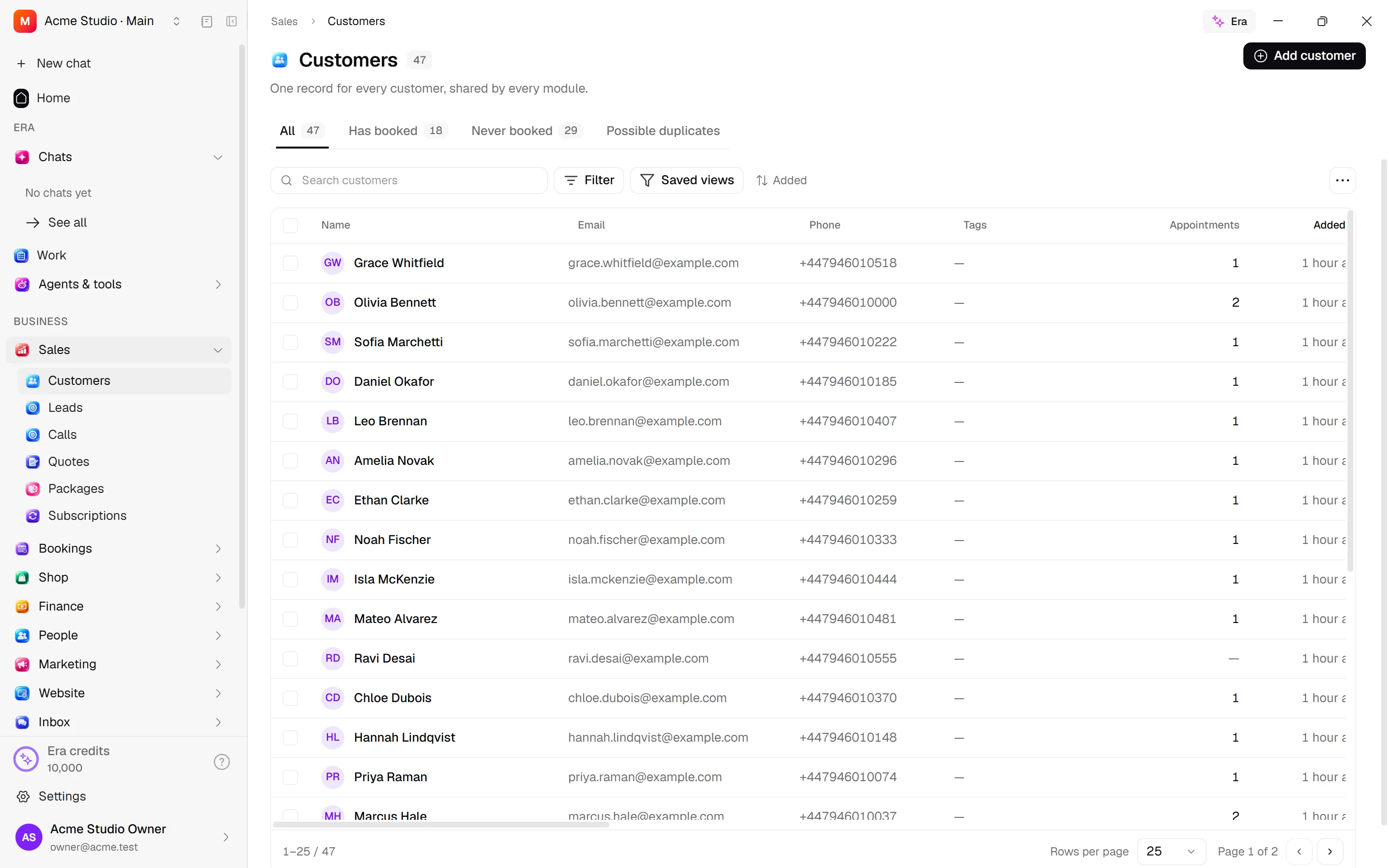
Sales, Shop, Bookings and Inbox share customer records. Teams keep people, companies, identities and addresses together.
Sales, Shop, Bookings and Inbox share customer records. Teams keep people, companies, identities and addresses together.
Where to find it
Web: open Sales. Desktop: Business → Sales, using the same record paths. Disabled modules or missing read permission remove the navigation entry.
| Screen / tab | Web path | Usage | Desktop |
|---|---|---|---|
| Customers | /customers | List, view or tab | Native screen |
| Customers | /customers/duplicates | List, view or tab | Native screen |
| Merging needs permission | /customers/merge | List, view or tab | Native screen |
| Customer not found | /customers/[id] | Record or editor | Native screen |
Record tabs and panels
These contributions appear when their modules are enabled and permitted, alongside the record’s own tabs. Check module/permission state if missing.
| Area | Kind | Owning module |
|---|---|---|
| Tasks | Panel | ai |
| Appointments | Tab | appointments |
| Book an appointment | Action | appointments |
| Leads | Tab | crm |
| Payments | Tab | finance |
| Gift cards | Tab | gift_cards |
| Classes | Tab | group_classes |
| Events | Tab | happenings |
| Conversations | Tab | inbox |
| Meetings | Panel | meetings |
| Packages | Tab | packages |
| Privacy | Tab | privacy |
| Quotes | Tab | quotes |
| New quote | Action | quotes |
| Orders | Tab | retail |
| Start an order | Action | retail |
| History | Tab | activity |
Start working
Step 1
Add a person/company; email or phone can recognise existing records.
Step 2
Edit details/language and company relationships.
Step 3
Add identities and addresses and choose defaults.
Step 4
Use tabs for sales, bookings, payments and conversations.
Step 5
Review duplicates and merge into a chosen survivor, or archive.
Settings
Option-by-option configuration and screen paths: Settings guide.
There is no separate settings route; the guide distinguishes record options from declared defaults.
Permissions and limits
Before you start
Merging requires manage permission. The last identity cannot be removed. Editing addresses does not change document snapshots. Tabs depend on modules and permissions.
Role capabilities: Read (read), Write (write), Delete/archive (delete), Manage (manage), Export (export), Comment (comment), Own records only (own_records_only).
Own-record restrictions apply equally to lists, records and Era. Record state or missing data can refuse an otherwise permitted action.
Ask Era
Find duplicate customers and show them before merging.
Select relevant records for Era context. Era respects modules/roles; external or confirmation-sensitive work can stop for approval. Use era tools in the terminal to inspect currently available tools.
Automation and events
These declared events are available to module-event triggers. Subscribing does not configure the next operation; choose recipients, conditions and actions separately.
Operation details
The inventory includes record, configuration, visitor and background flows. IDs support Era/automation; not every row is a menu button. Asterisks mark required inputs. Unmapped rows do not imply a visible control.
| Operation and ID | Inputs | Permission | Screen or flow |
|---|---|---|---|
Add or recognise a customer · customers.capture | Name *, First name, Last name, Dialling code (1–9999), Country, Language, Email, Phone, Notes, Type, Other keys | Write | /appointments, /customers, /leads |
Merge two customers · customers.merge | Keep *, Merge away *, Chosen values | Manage | /customers/merge |
Edit a customer · customers.update | Customer *, Name, First name, Last name, Dialling code (1–9999), Country, Language, Email, Phone, Notes, Type | Write | /customers/[id], /inbox |
Add a way to recognise this person · customers.add_identity | Customer *, Kind *, Value * | Write | /customers/[id] |
Remove a way to recognise this person · customers.remove_identity | Customer *, Kind *, Value * | Write | /customers/[id] |
Add an address · customers.add_address | Customer *, Label, First name, Last name, Company, Street, Street (line 2), District, City, Province / state, Postal code, Country, Phone, Address as written, Accepted without validation, Default for delivery, Default for billing | Write | /customers/[id] |
Edit an address · customers.update_address | Address *, Label, First name, Last name, Company, Street, Street (line 2), District, City, Province / state, Postal code, Country, Phone, Address as written, Accepted without validation | Write | /customers/[id] |
Archive an address · customers.remove_address | Address * | Delete/archive | /customers/[id] |
Set a default address · customers.set_default_address | Customer *, Address *, Default for delivery, Default for billing | Write | /customers/[id] |
Attach to a company · customers.set_parent | Customer *, Company | Write | /customers/[id] |
Archive a customer · customers.archive | Customer * | Delete/archive | /customers, /customers/[id] |
Restore a customer · customers.restore | Customer * | Delete/archive | /customers/[id] |
Export customers · customers.export | Search, Kind, Only these customers, Leave these customers out | Export | Record/API/visitor flow; no separate screen button mapped |
Send a sign-in code · customers.request_sign_in_code | Email *, From address | Write | Record/API/visitor flow; no separate screen button mapped |
Sign in with a code · customers.verify_sign_in_code | Email *, Code *, Name, Accepted the privacy notice, From address, Browser | Write | Record/API/visitor flow; no separate screen button mapped |
Change my sign-in email · customers.request_email_change | New email *, From address | Write | Record/API/visitor flow; no separate screen button mapped |
Confirm my new email · customers.confirm_email_change | New email *, Code * | Write | Record/API/visitor flow; no separate screen button mapped |
Sign in with a password · customers.sign_in_with_password | Email *, Password *, From address, Browser | Write | Record/API/visitor flow; no separate screen button mapped |
Set my password · customers.set_my_password | New password *, Current password | Write | Record/API/visitor flow; no separate screen button mapped |
Update my details · customers.update_my_profile | First name, Last name, Phone, Language | Write | Record/API/visitor flow; no separate screen button mapped |
Add an address to my account · customers.add_my_address | Label, First name, Last name, Street, Street (line 2), District, City, Province, Postal code, Country, Phone, Default for delivery, Default for billing | Write | Record/API/visitor flow; no separate screen button mapped |
Remove an address from my account · customers.remove_my_address | Address * | Write | Record/API/visitor flow; no separate screen button mapped |
Sign out · customers.sign_out | Session * | Write | Record/API/visitor flow; no separate screen button mapped |
Send a site sign-in link · customers.send_sign_in_link | Customer * | Write | Record/API/visitor flow; no separate screen button mapped |
Switch off site account · customers.disable_login | Customer *, Reason | Manage | /customers/[id] |
Switch site account back on · customers.enable_login | Customer * | Manage | /customers/[id] |
Recognise a website buyer · customers.capture_site_guest | Email *, First name, Last name, Phone, Street, Street (line 2), District, City, Province, Postal code, Country | Write | Record/API/visitor flow; no separate screen button mapped |
Related guides
Settings
Options, screen paths and defaults.
Workflows
Operations managers connect triggered blocks on a canvas with conditions, loops and approval waits.
Sales
Sales — modules and detailed settings
Technical sources
packages/os-kernel/src/modules/customers.ts, packages/os-kernel/src/modules/index.ts, apps/studio/lib/os/navigation.ts, apps/studio/lib/os/settings-groups.ts, apps/era-station/apps/web/src/era/business/screens.ts.
Screen pictures
CSV import
Use CSV import in Customers on web or desktop. Choose a file, map Name, Email and Phone, review the preview and import. Files may contain up to 5,000 contacts. Each row goes through the customer action and shows its result; existing identities are recognised. The file stays on your computer. Retry failed rows in a separate file.