Catalog products and services
Catalog teams define products and services with variants, media, categories and brands.
Catalog teams define products and services with variants, media, categories and brands.
Where to find it
Web: open Shop. Desktop: Business → Shop, using the same record paths. Disabled modules or missing read permission remove the navigation entry.
| Screen / tab | Web path | Usage | Desktop |
|---|---|---|---|
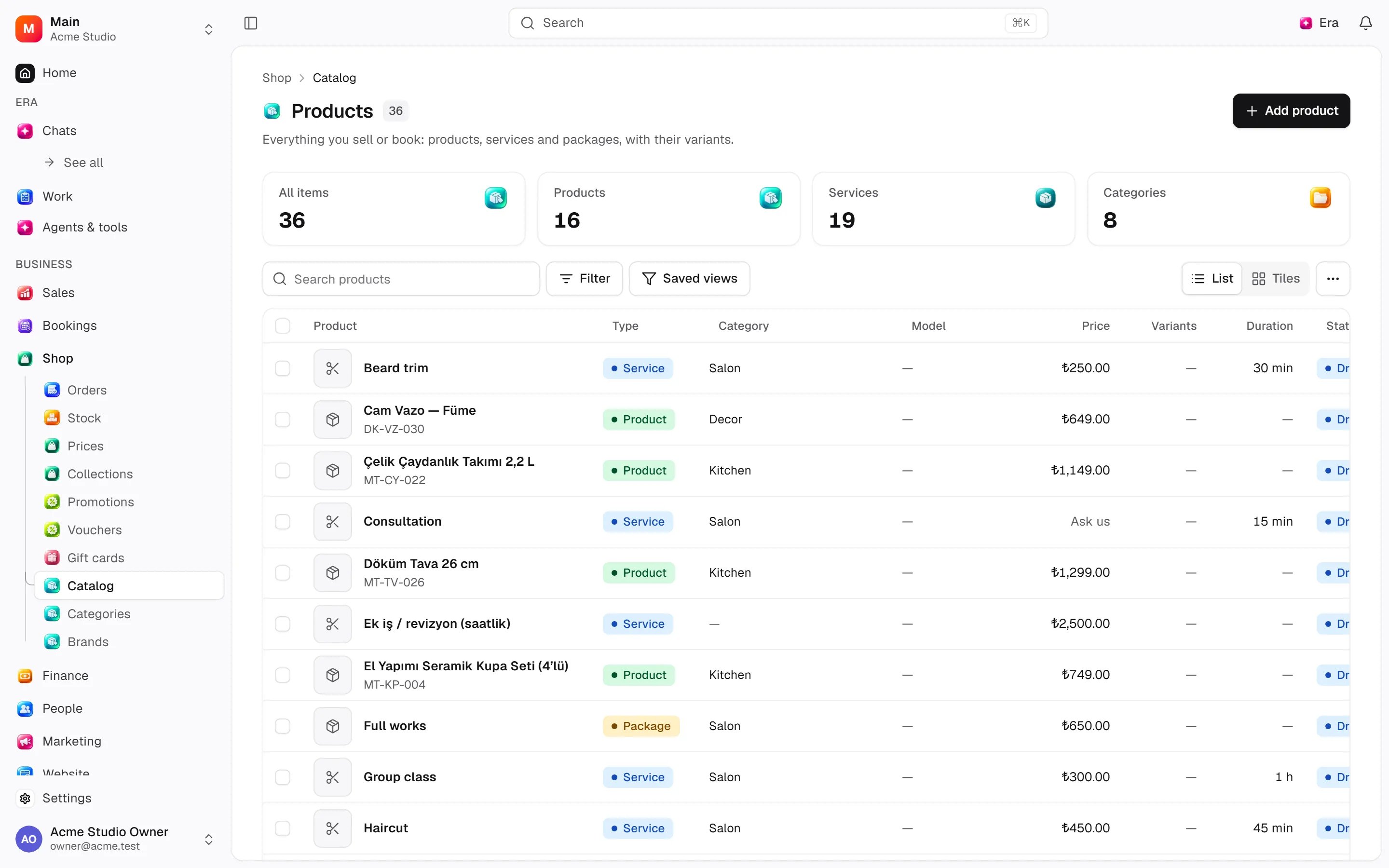
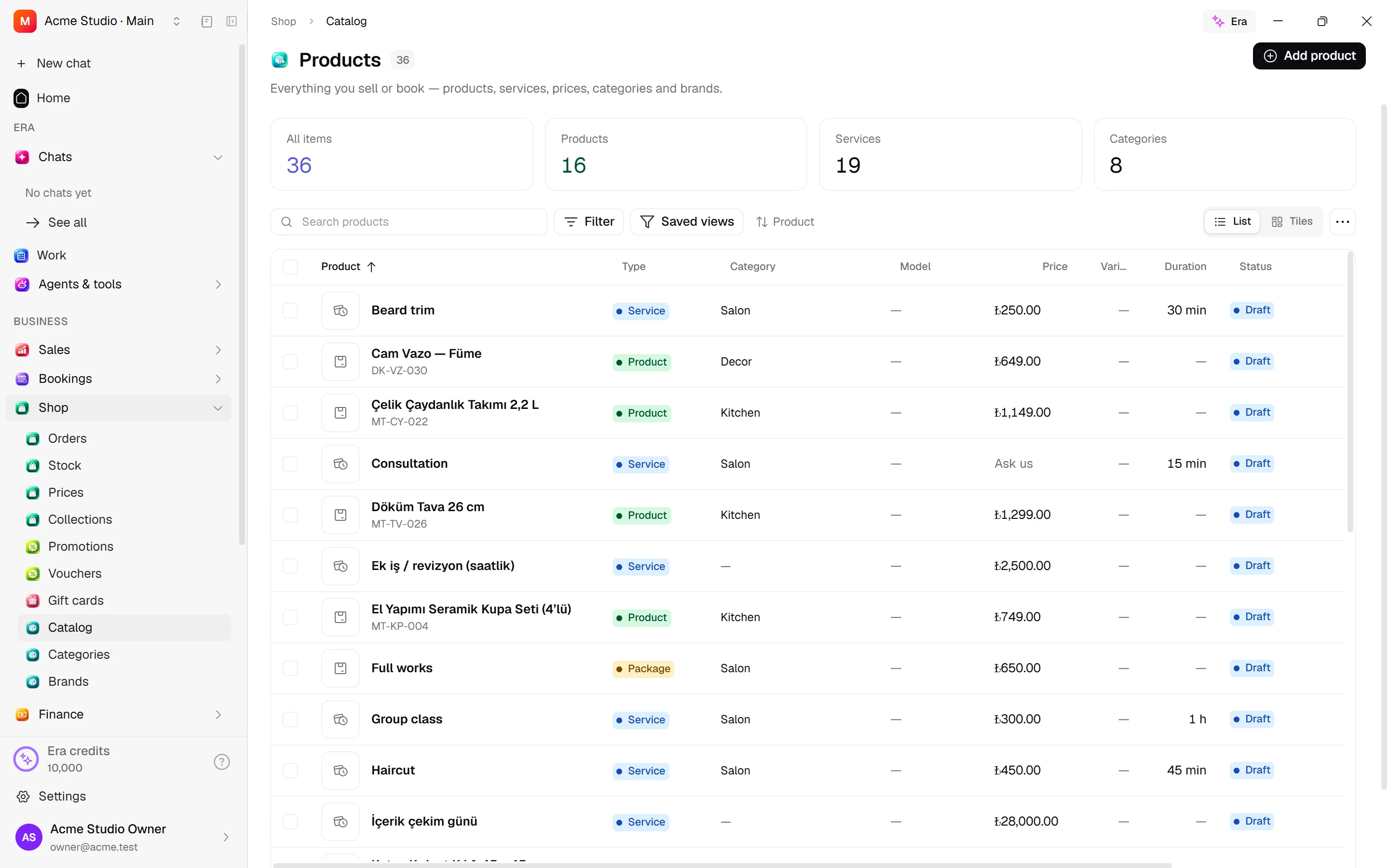
| Catalog | /catalog | List, view or tab | Native screen |
| Categories | /catalog/categories | List, view or tab | Native screen |
| Brands | /catalog/brands | List, view or tab | Native screen |
| New item | /catalog/new | List, view or tab | Native screen |
| Record details | /catalog/[id] | Record or editor | Native screen |
Record tabs and panels
These contributions appear when their modules are enabled and permitted, alongside the record’s own tabs. Check module/permission state if missing.
| Area | Kind | Owning module |
|---|---|---|
| Attributes | Tab | attributes |
| Channels & pricing | Tab | retail |
| Inventory | Tab | retail |
Start working
Step 1
Add a product/service with type and details.
Step 2
Edit variant axes, SKUs and prices.
Step 3
Attach media, descriptions/alt text and ordering.
Step 4
Set category/brand and service days/providers.
Step 5
Publish and configure channel listings/prices separately.
Settings
Option-by-option configuration and screen paths: Settings guide.
There is no separate settings route; the guide distinguishes record options from declared defaults.
Permissions and limits
Before you start
Publishing does not create channel prices or stock. Product types/attributes live under Settings → Shop.
Role capabilities: Read (read), Write (write), Delete/archive (delete), Manage (manage), Export (export), Comment (comment).
Own-record restrictions apply equally to lists, records and Era. Record state or missing data can refuse an otherwise permitted action.
Ask Era
Show this product’s variants, media and channel prices.
Select relevant records for Era context. Era respects modules/roles; external or confirmation-sensitive work can stop for approval. Use era tools in the terminal to inspect currently available tools.
Automation and events
These declared events are available to module-event triggers. Subscribing does not configure the next operation; choose recipients, conditions and actions separately.
Operation details
The inventory includes record, configuration, visitor and background flows. IDs support Era/automation; not every row is a menu button. Asterisks mark required inputs. Unmapped rows do not imply a visible control.
| Operation and ID | Inputs | Permission | Screen or flow |
|---|---|---|---|
Add to the catalogue · catalog.create_item | Name *, Address, Kind, Delivered as, Category, Brand, Description, Short description, Page content, Order, Model, SKU, Price (minor units), Duration (minutes) (5–1440), Capacity, Put it in the shop, Picture | Write | /catalog |
Edit a catalogue entry · catalog.update_item | Item *, Name, Address, Category, Brand, Description, Short description, Page content, Model, SEO title, SEO description, Featured, Delivered as, External key, Order, Features | Write | /catalog/[id] |
Edit product metadata · catalog.update_item_metadata | Item *, Metadata, Private metadata | Write | /catalog/[id] |
Add or edit a variant · catalog.save_variant | Variant, Item, Variant name, SKU, Price (minor units), Cost (minor units), Duration (minutes) (5–1440), Capacity, Weight (g), Limit per customer, Track stock, Order, Option values | Write | /catalog/[id] |
Remove a variant · catalog.remove_variant | Variant * | Delete/archive | /catalog/[id] |
Set a price · catalog.set_price | Variant *, Price (minor units), Currency, Cost (minor units), Previous price | Write | /catalog, /catalog/[id] |
Set the variant axes · catalog.set_options | Item *, Options * | Write | /catalog/[id] |
Set what a package contains · catalog.set_package_contents | Package *, Contents * | Write | /catalog/[id] |
Publish · catalog.publish | Item * | Write | /catalog, /catalog/[id] |
Unpublish · catalog.unpublish | Item * | Write | /catalog, /catalog/[id] |
Stop offering it · catalog.deactivate | Item *, Deactivate anyway | Delete/archive | /catalog |
Offer it again · catalog.activate | Item * | Write | /catalog, /catalog/[id] |
Add a category · catalog.create_category | Name *, Address, Description, Page content, Icon, Image, Inside, Visible, Order, Search title, Search description | Manage | /catalog/categories |
Edit a category · catalog.update_category | Category *, Name, Address, Description, Page content, Icon, Image, Visible, Order, Search title, Search description | Manage | /catalog/categories |
Move a category · catalog.move_category | Category *, Inside | Manage | /catalog/categories |
Add or edit a brand · catalog.save_brand | Brand, Name *, Address, Description, Website, Part of, Show in the showcase, Visible, Order, Logo | Manage | /catalog/brands |
Show or hide a brand · catalog.set_brand_visibility | Brand *, Visible * | Manage | Record/API/visitor flow; no separate screen button mapped |
Attach a picture or file · catalog.attach_file | Item *, File, External URL, Variant, Role, Alt text, Order | Write | /catalog/[id], /creative |
Remove an attachment · catalog.detach_file | Attachment * | Write | /catalog/[id] |
Reorder pictures · catalog.reorder_files | Item *, Attachments * | Write | /catalog/[id] |
Describe a picture · catalog.update_file | Attachment *, Alt text, Variant | Write | /catalog/[id] |
Change several items · catalog.bulk_update_items | Items *, Operation *, Category | Write | /catalog |
Delete items · catalog.delete_items | Items * | Delete/archive | /catalog |
Email product export · catalog.email_product_export | Recipient *, Fields *, Current filters | Export | /catalog |
Related guides
Settings
Options, screen paths and defaults.
Workflows
Operations managers connect triggered blocks on a canvas with conditions, loops and approval waits.
Shop
Shop — modules and detailed settings
Technical sources
packages/os-kernel/src/modules/catalog.ts, packages/os-kernel/src/modules/index.ts, apps/studio/lib/os/navigation.ts, apps/studio/lib/os/settings-groups.ts, apps/era-station/apps/web/src/era/business/screens.ts.
Screen pictures
Assign images in bulk
Select product or service rows in Catalog and choose Assign image to append the same image to the galleries of all selected entries. Existing gallery images are preserved. Available on web and native desktop.