Stock and warehouse transfers
Count, adjust and transfer stock for the correct variant.
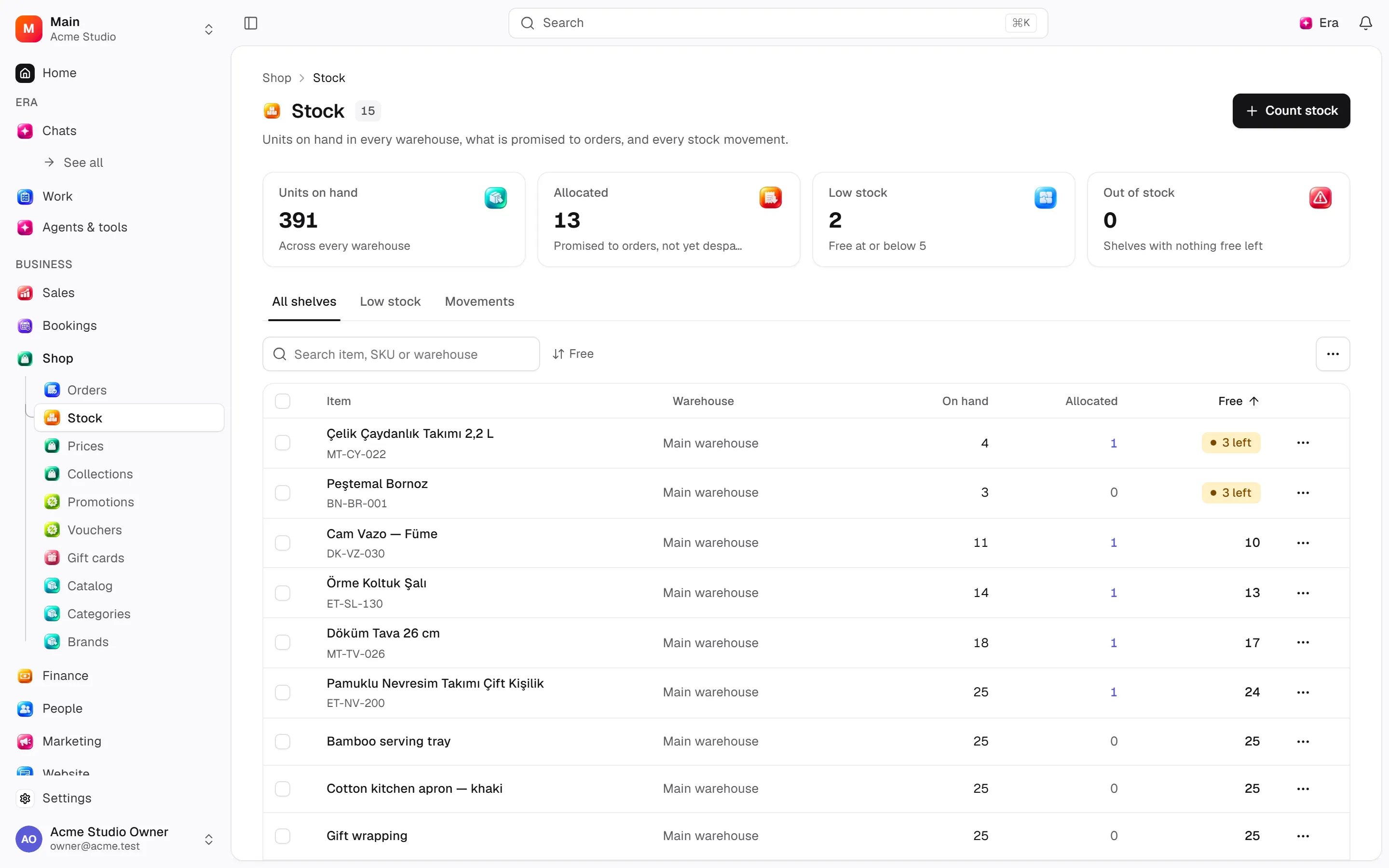
Distinguish on-hand, allocated and available quantities by variant/warehouse.
Where
Web: Shop · /shop/stock. Desktop: Business → Shop.
Step by step
Choose warehouse and variant
Configure warehouses and channel warehouse order, then choose the target variant.
Choose the right operation
A count sets a new quantity. An adjustment adds a difference. A transfer moves stock between warehouses.
Review availability
Compare on-hand, reserved and available quantities. Review safety stock and preorder rules separately.
What to know
Counts set stock; adjustments apply a delta. Transfers move stock between warehouses.
Safety stock narrows availability. Preorders have separate promises/limits.
Configure warehouses/channel order first; outstanding allocations can prevent closure.
Actions and permissions
| Operation and ID | Inputs | Permission | Screen or flow |
|---|---|---|---|
Count stock · retail.set_stock | Warehouse *, Variant *, Quantity *, Note | Write | /catalog/[id], /shop, /shop/stock |
Adjust stock · retail.adjust_stock | Warehouse *, Variant *, Change *, Reason *, Note | Write | /shop/stock |
Move stock between warehouses · retail.transfer_stock | From *, To *, Variant *, Quantity *, Note | Write | /shop/stock |
Hold back safety stock · retail.set_stock_policy | Warehouse *, Variant *, Safety stock * | Manage | /shop/stock |
Sell on preorder · retail.set_preorder | Variant *, On preorder *, Ends, Limit, all channels, Limits per channel | Manage | /shop/stock |
End a preorder · retail.end_preorder | Variant * | Manage | /shop, /shop/stock |
Settings and related guides
Ask Era
Show payment and stock gaps on orders awaiting fulfilment.