Orders and shop operations settings
Paths, defaults and effects of each option.
Settings open as a drawer over your work; a direct URL can open a full page. On desktop choose the same product heading under Settings. Change values and Save; form validation and role permissions apply.
Usage guide
Shop teams follow drafts, fulfilment, returns and refunds with stock, prices and collections.
Browse this area
Shop — modules and detailed settings
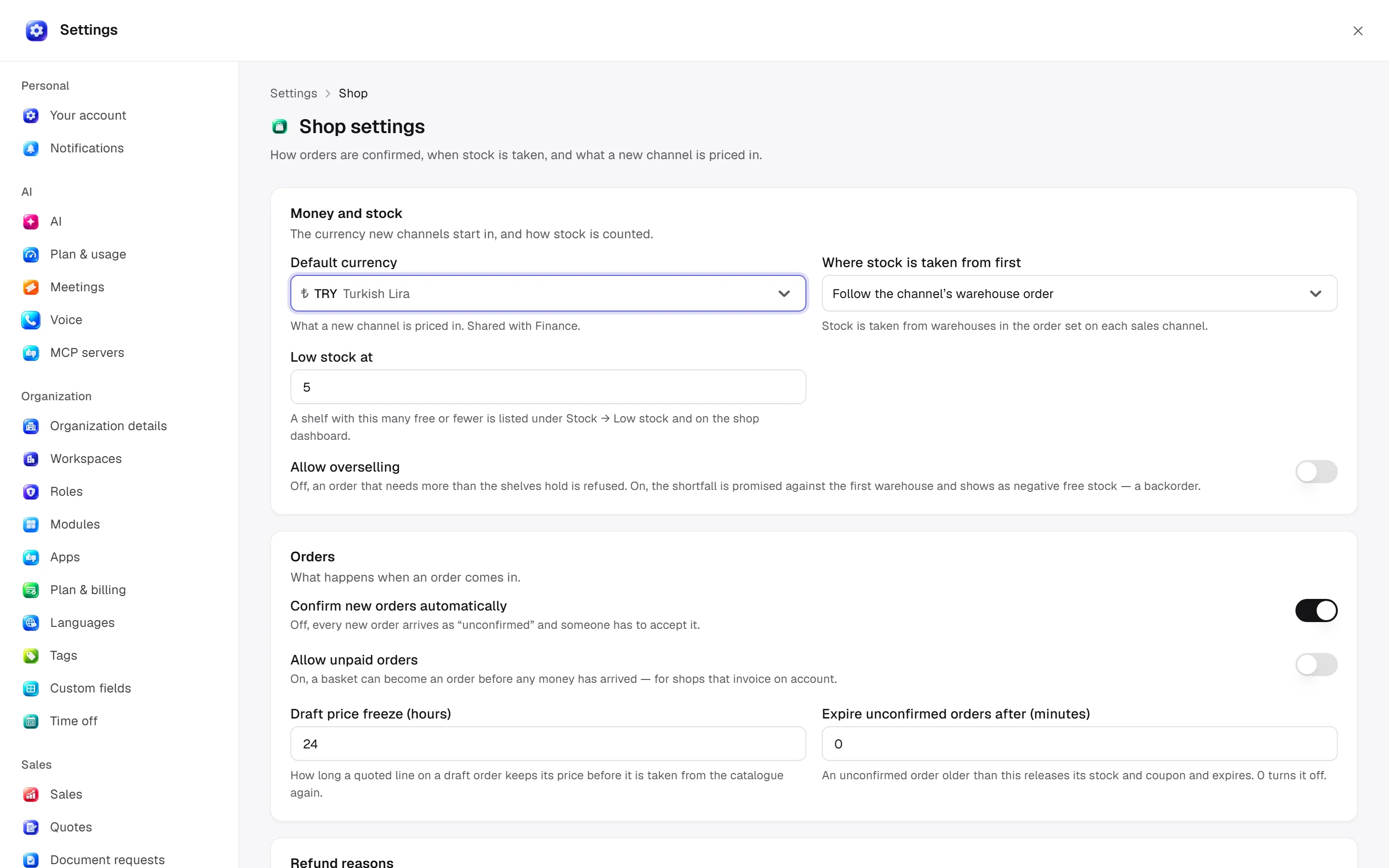
General
Open settings · /settings/shop
Currency prefills new channels. Allocation follows warehouse order or highest free stock. Switches govern order/fulfilment approval, unpaid orders and overselling. Freeze hours, low-stock quantity and expiry minutes set limits; 0 disables expiry. Refund reasons are one per line, up to 30.
Desktop: native settings panel.
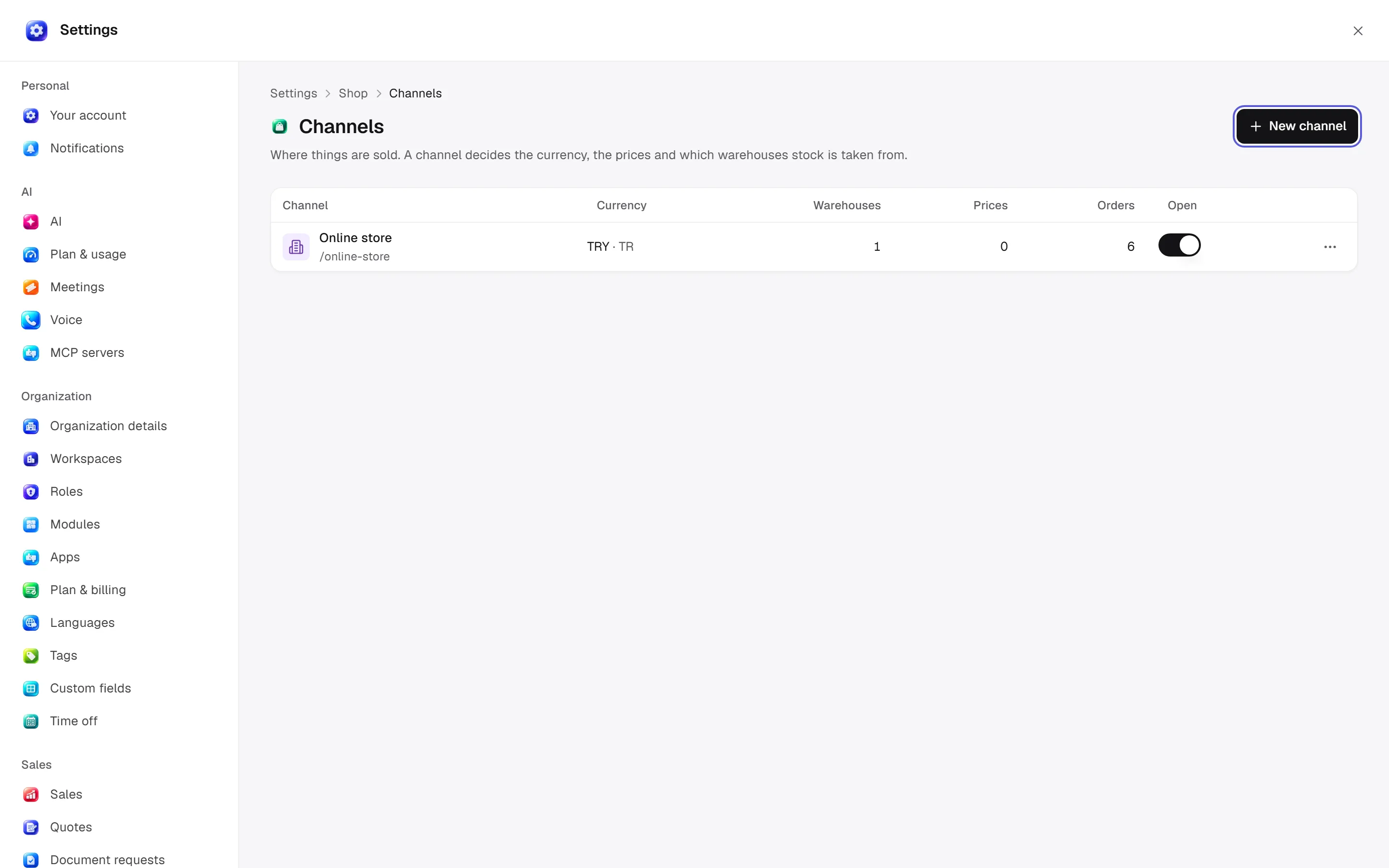
Channels
Open settings · /settings/shop/channels
Channels: name/slug/currency/default country/open state. Currency becomes fixed after pricing. Ordered warehouses can control allocation. Channels with orders/baskets cannot be deleted; close them.
Desktop: native settings panel.
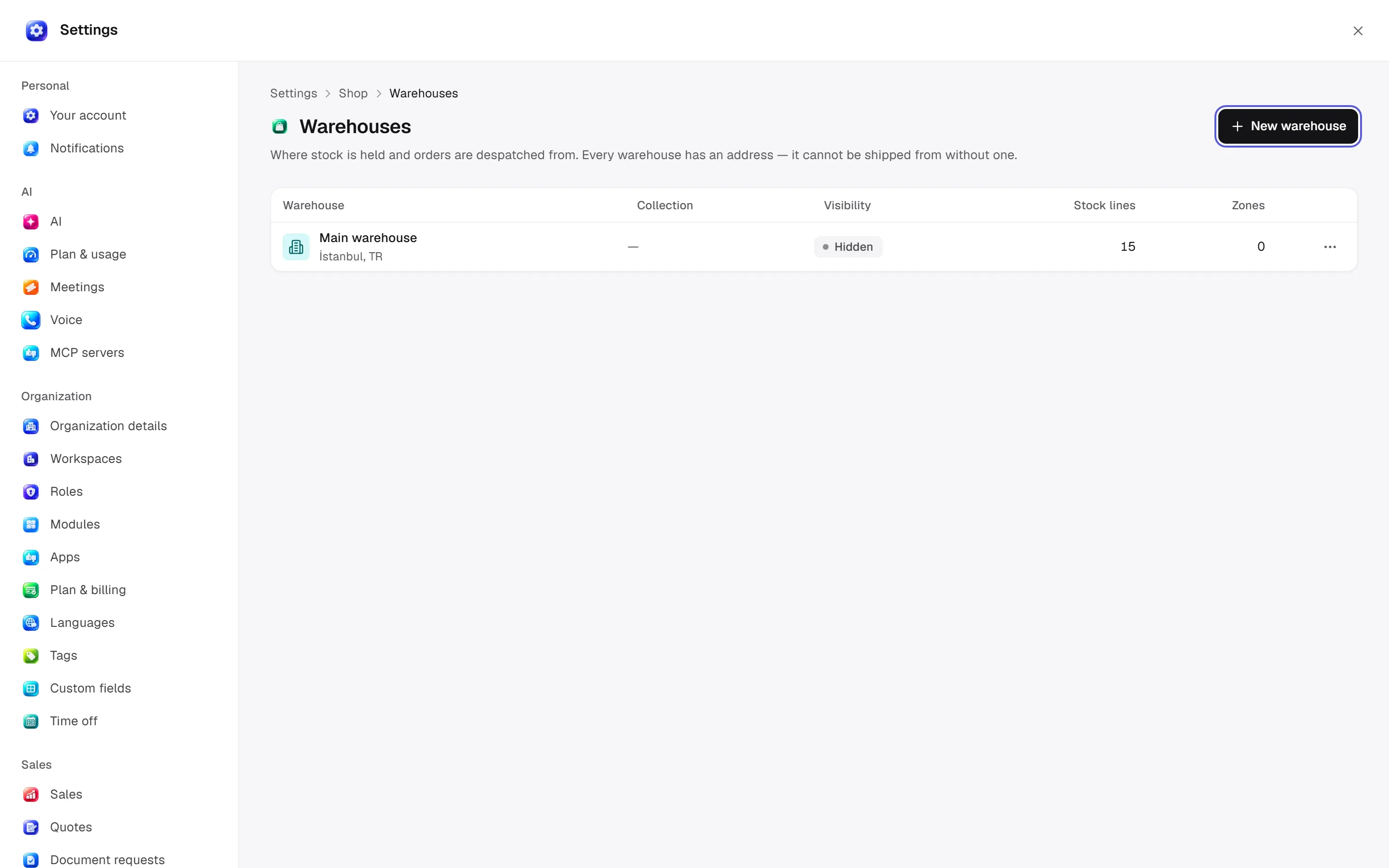
Warehouses
Open settings · /settings/shop/warehouses
Warehouses: name/street/city/postcode/country/email, customer visibility, collection and served zones. Address is mandatory. Outstanding stock allocations prevent closure.
Desktop: native settings panel.
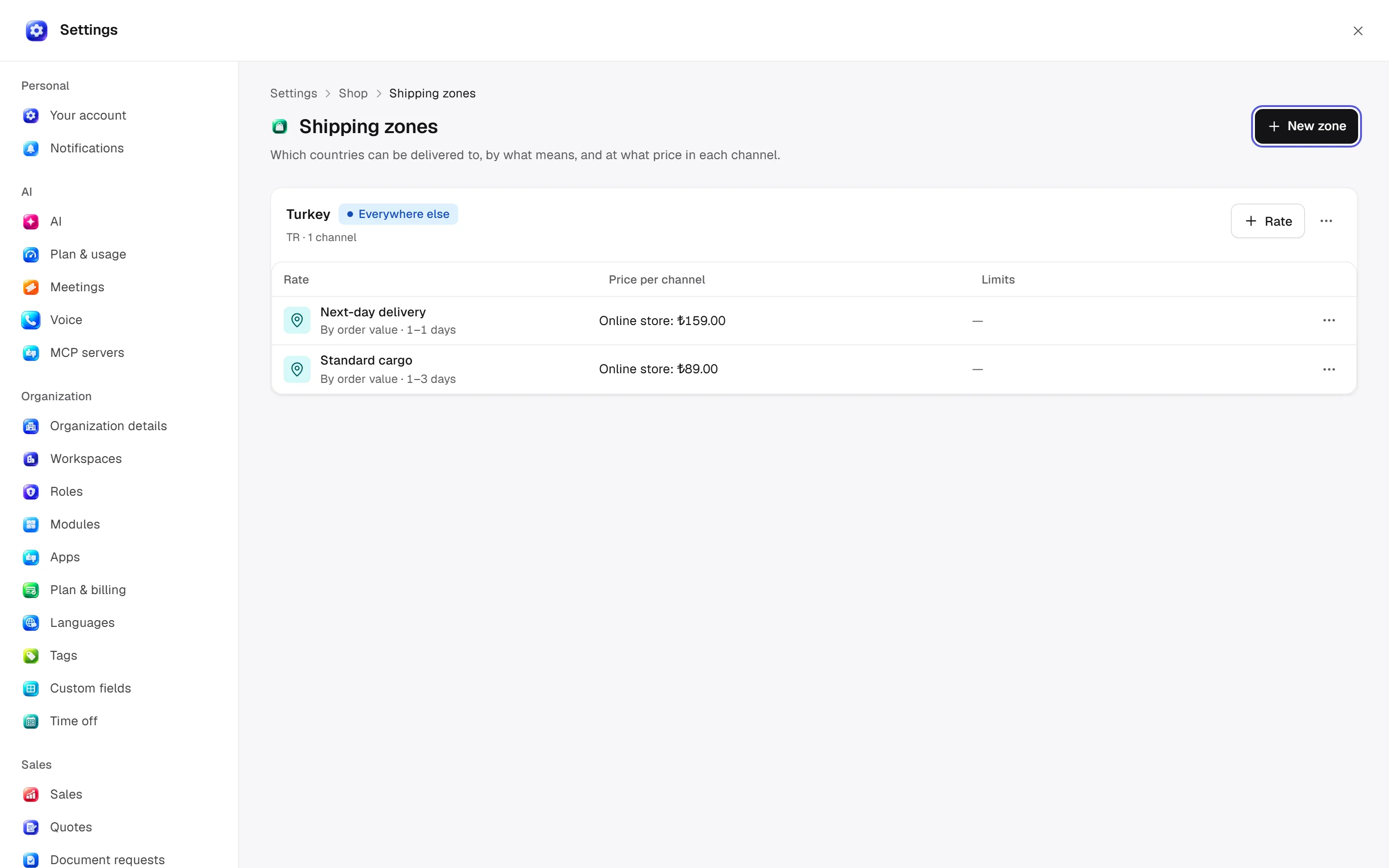
Shipping zones
Open settings · /settings/shop/shipping
Zones: name/countries/catch-all/channels/description. Rates: name/value or weight bounds/delivery time/tax class/channel price. Unpriced rates are unavailable. Postal rules accept codes/ranges and include/exclude modes. Excluded products prevent offering the rate.
Desktop: native settings panel.
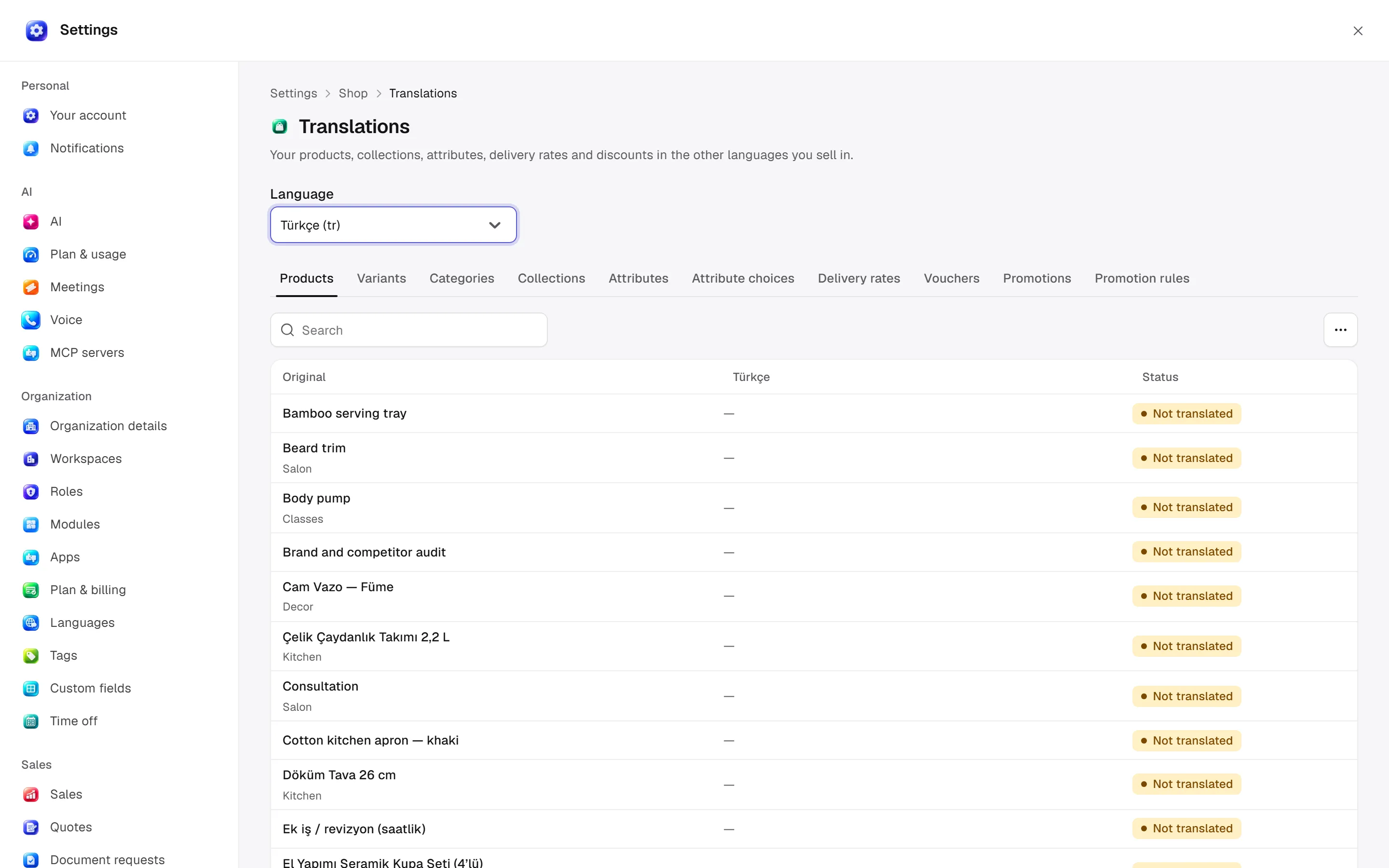
Translations
Open settings · /settings/shop/translations
Choose content kind/record/target language, then translate product, collection, attribute, shipping-rate or discount text. This does not change interface language.
Desktop: native settings panel.
Defaults and behaviour options
This table lists contract defaults, not your saved workspace values. Location distinguishes visible controls from advanced configuration values.
| Option / key | Default | Effect and choices | Location |
|---|---|---|---|
Abandoned basket after (minutes) · abandoned_checkout_minutes | 60 | How long a basket with an email on it may sit untouched before it counts as abandoned. | Advanced contract setting; no separate control verified |
Default currency · default_currency | TRY | The currency a new sales channel is priced in. Shared with Finance. | /settings/shop |
Allocation strategy · allocation_strategy | prioritize-sorting-order | Which warehouse stock is taken from first: in the channel’s warehouse order, or from the one with the most available. | /settings/shop |
Confirm new orders automatically · automatically_confirm_orders | true | When off, each new order waits as “unconfirmed” until someone accepts it. | /settings/shop |
Allow unpaid orders · allow_unpaid_orders | false | When on, a basket can become an order before payment arrives — for shops that invoice on account. | /settings/shop |
Approve shipments automatically · fulfilment_auto_approve | true | When off, every shipment waits for approval before it goes out. | /settings/shop |
Draft price freeze (hours) · draft_order_price_freeze_hours | 24 | How long a draft order keeps its quoted prices before they are refreshed from the catalogue. | /settings/shop |
Low stock at · low_stock_threshold | 5 | Items whose available stock (on hand minus reserved) is at or below this are listed as low. | /settings/shop |
Allow overselling · allow_oversell | false | When off, an order for more than you have is refused. When on, the missing quantity is taken as a backorder. | /settings/shop |
Expire unconfirmed orders after (minutes) · expire_orders_after_minutes | 0 | An unconfirmed order older than this is cancelled and its stock released. 0 turns this off. | /settings/shop |
Refund reasons · refund_reasons | [] | The reasons offered when a refund is granted, one per line. Staff can still type their own. | /settings/shop |
Permission: module manage is used for configuration; the main guide’s action table lists individual operation permissions.
Related guide
Technical sources
packages/os-kernel/src/modules/retail.ts, apps/studio/app/(app)/settings/, apps/era-station/apps/web/src/era/business/screens/settings/pages/registry.tsx.